

TOC
Table of Contents
Multiple payment gateway integration in Salesforce refers to a scenario where there is more than one payment gateway integrated in your Salesforce instance.
But why do you need multiple Salesforce payment gateways? How does it benefit your business, and what challenges can you encounter while integrating them?
We will explain everything to you in this blog.
Let’s get started!
Benefits of multiple payment gateway integration in Salesforce
Here we have listed some of the key benefits that multi-gateway integration offers:
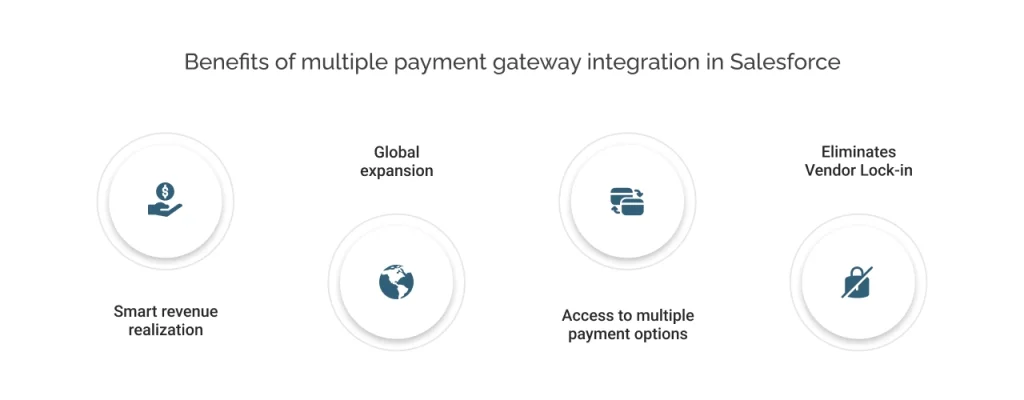
1. Smart revenue realization
During technical failures, network errors, or downage of one gateway, businesses loose significant amount of revenue. Customers do not bother to retry the payment and leave the cart abandoned.
However, having another gateway integrated with your Salesforce acts as a backup gateway for the failover mechanism.
Businesses can receive the payment from another payment gateway that is integrated with Salesforce. This helps businesses realize revenue without interruption and prevents revenue loss. While also offering a smooth customer experience.
2. Global expansion
Different regions have preferred payment gateways, like PayU/Razorpay in India, Alipay/WeChat Pay in China, PayPay in Japan. Therefore, by integrating multiple Salesforce payment gateways, you can expand into these regions, catering to customers there as well.
Additionally, you gain access to region-specific currencies, local payment methods, and compliance support. This helps you scale internationally without custom builds, while also enabling multi-currency support in Salesforce.
3. Access to multiple payment options
By integrating multiple payment gateways, you get the benefits of multiple payment options across different gateways.
But why do you need multiple payment options? Because customers tend to choose their preferred payment method to make payments, it is easier and more convenient. It can vary from customer to customer. And if they do not find their preferred payment method, they might leave the transaction pending or struggle, which hampers your customer experience.
Let’s understand with an example. Suppose one gateway does not support a payment method called UPI. However, it is India’s dominant payment method and the most preferred one according to a study by PIB. Therefore, to cater to the Indian audience, you need to integrate a gateway that offers UPI as its payment method or switch to one.
4. Eliminates Vendor Lock-in
Having multiple payment gateways reduces dependency on a single vendor, so you can switch between providers. In case a provider raises fees, changes terms, or discontinues a certain feature, you can shift to other alternatives.
Challenges in multi-payment gateway integration in Salesforce
These are significant challenges in integrating multi-payment gateways in Salesforce. However, to gain a better understanding, you can read our Salesforce multi-gateway setup guide in ChargeOn.
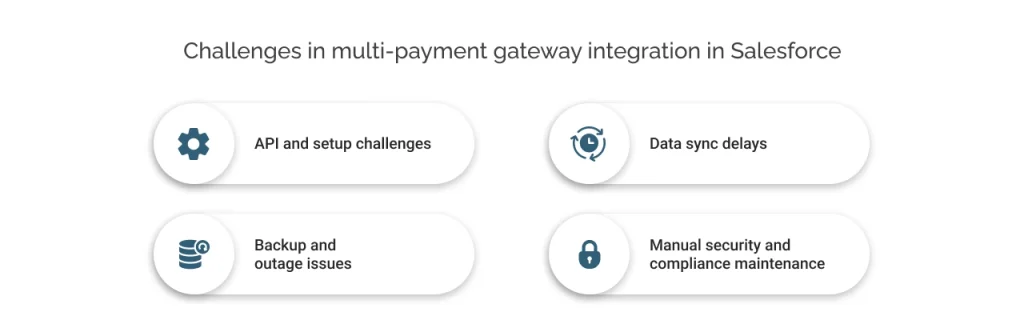
1. API and setup challenges
Different payment gateways use different and unique APIs and login methods. This requires building custom fields or code in Salesforce to route payments correctly and match data formats manually.
2. Data sync delays
Manually integrating multiple gateways can pose a risk of loose integration. This can result in corrupted workflows and errors, making space for data leaks.
It can also affect data syncs. Payment updates like approvals or refunds don’t always flow back to Salesforce instantly. Therefore, causing mismatched records on invoices or orders until fixed manually.
3. Backup and outage issues
There is no built-in switch for when one gateway fails. Your business teams must handle downtime manually, testing each setup to avoid losing sales.
4. Manual security and compliance maintenance
While Salesforce adheres to security protocols and compliance, each gateway handles security differently, therefore raising compliance work.
How can you resolve multiple payment gateway integration challenges in Salesforce?
You can either promise the manual method for Salesforce payment gateway integration or leverage a pre-built and convenient solution.
Manual integration requires:
- Accurate object mapping
- Compatibility testing
- Technical efforts that require Salesforce expertise
- And sufficient time
But still, this method can be prone to errors.
On the other hand, a pre-built solution like ChargeOn helps to integrate multiple payment gateways with ease. It eliminates all the hassle of APIs and plugins and simply establishes the connection. This solution is built keeping all the considerations in mind, such as routing logic, data security, compliance, and settlement logic. Therefore, resolves manual payment reconciliation issues in Salesforce and Salesforce payment API challenges.