

CSG Forte Salesforce integration challenges
- In the custom integration, you only get notified about the payment issue. Ultimately, your team has to manually follow up on it with the customer.
- ForteNext is not a native solution, but a third-party application.
- Network errors, out-of-order events, or domain changes can cause retries. Without validation, the data might get lost or mismatched.
- Your finance and sales teams often rely on separate reports and manual reconciliation across platforms.
With ChargeOn, all these challenges are eliminated!
How does ChargeOn resolve CSG Forte Salesforce integration challenges?
ChargeOn is a 100% Salesforce native payment processor and orchestration tool. It offers a centralized view of all your payments in Salesforce, bringing data from Forte and Salesforce together.
ChargeOn provides prebuilt flows for one-time and recurring payments, reminders, retries, and payment links. Additionally, it offers tokenization, PCI DSS-compliant processing, and secure data flows with a failover backup mechanism.
Step-by-step CSG Forte Integration with Salesforce using ChargeOn
This guide helps you in:
- Assigning appropriate permissions to relevant users
- Configure and set up ChargeOn
Note: Screenshots and details may differ based on your gateway version.
Create a CSG Forte Sandbox Account
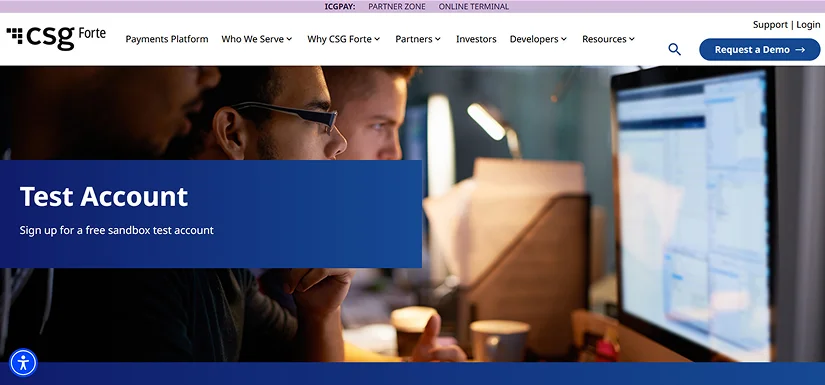
You require test credentials to log in to your CSG Forte Sandbox. Create them using this link
- Navigate to the Forte portal
- Enter the details for the business account
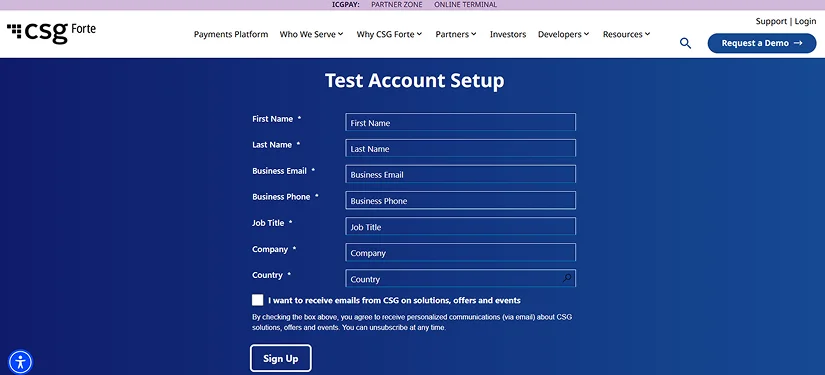
- Click on Sign Up
- You will receive an email including your credentials
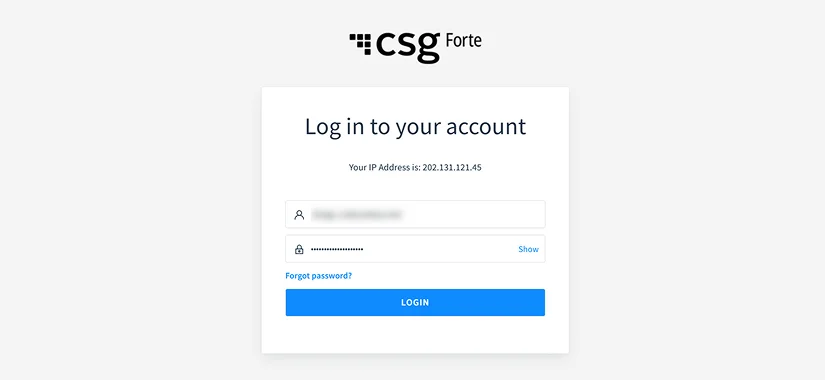
- Post receiving your credentials, log in to the Forte Sandbox
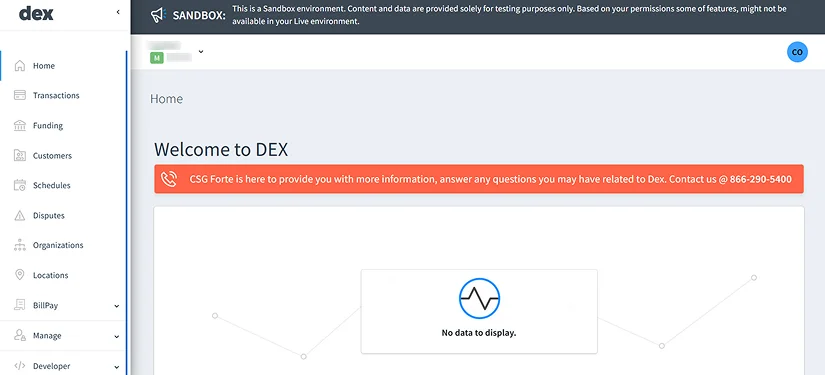
- You will see a personalized Forte dashboard
Collect Required Credentials
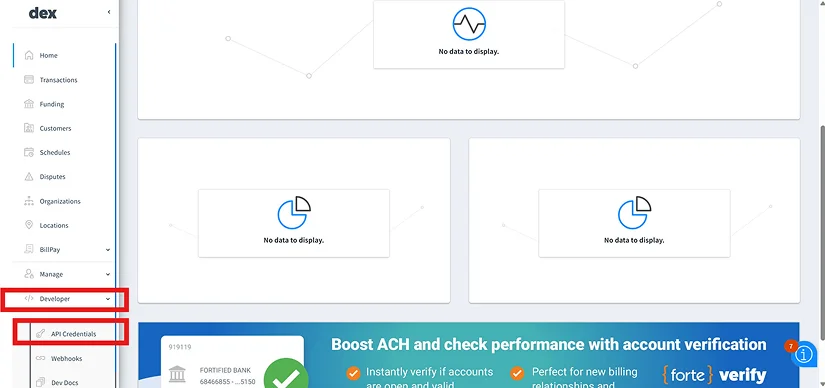
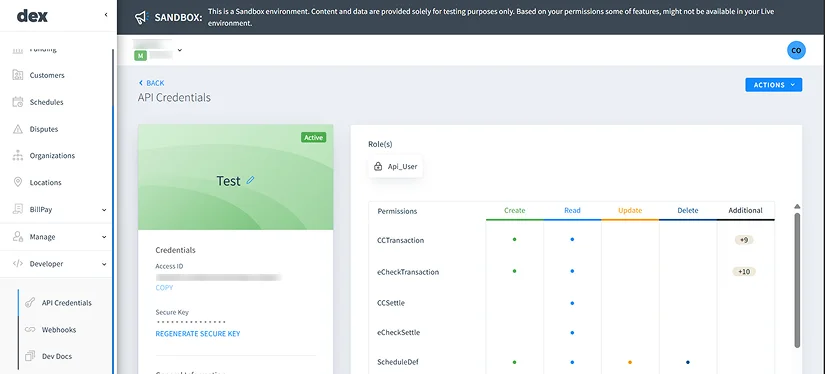
- Navigate to the Developer Section in the bottom-left corner of the menu
- Click on API Credentials
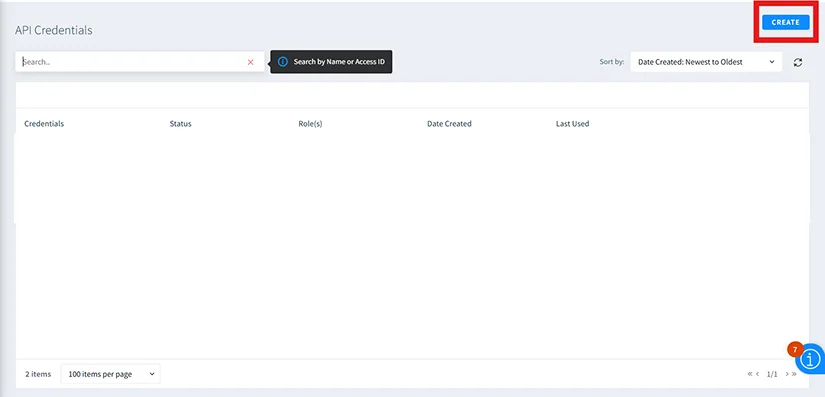
- Click on the Create button
- Enter the details
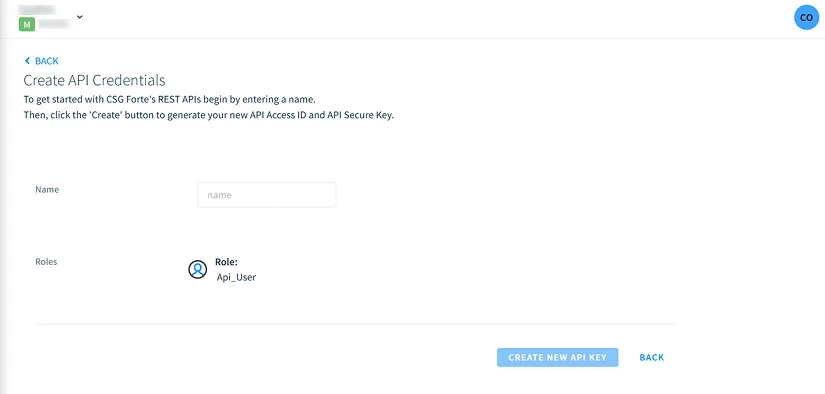
- Click on the Create new API Key
- Copy all the API keys that have been created
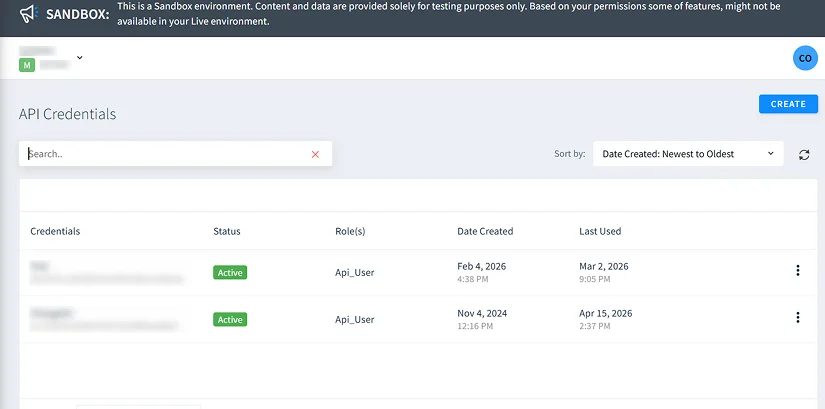
- Regenerate the API key if required
Create your CSG Forte gateway record in Salesforce
- Click on the App Launcher (9-dot icon)
- Search for ChargeOn.
- Click to open the ChargeOn application.
- From the ChargeOn app navigation bar, open the Payment Gateway tab.
- Click New to create a new Payment Gateway record.

- In Select Gateway, choose Forte from the dropdown.
- Under Select Payment Method, move the following options from Available to Selected:
- Instant
- Schedule
- Recurring
These define how payments can be processed using this gateway.
- Under Select Payment Types, move the following options from Available to Selected:
- Card
- eCheck
- Link
This enables payment links for Forte.
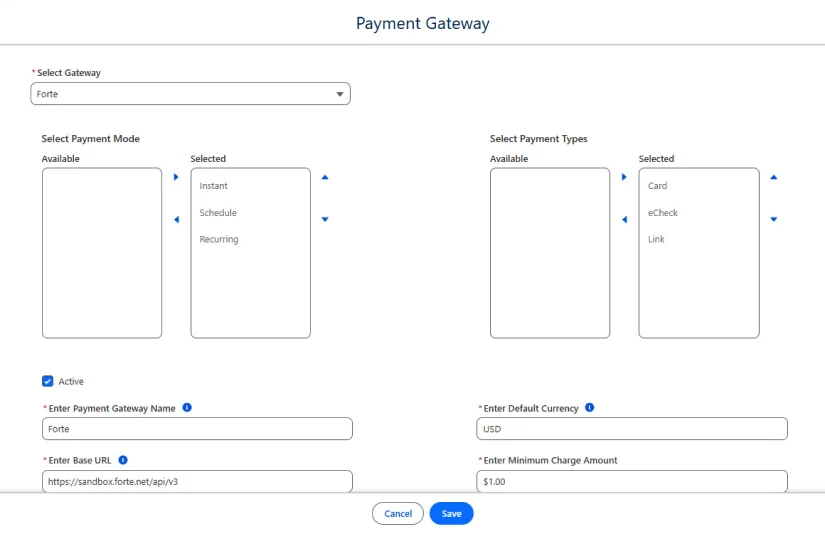
- Fill in the required fields as follows:
- Payment Gateway Name
- Gateway
- Default Currency: USD
- The supported currencies: USD
- Base URI: https://sandbox.forte.net/api/v3
- Minimum Charge: $1
- Use the apitest URL for sandbox/testing.
- Replace with the production URL when configuring live payments.
Step 7: Add gateway credentials
- In the Gateway Credentials section, add the following key-value pairs:
- Credential
- Key: api_access_id
- Value: {your key}
- Key: api_secure_key
- Value: {your key}
- Key: organization_id
- Value: {your key}
- Key: location_id
- Value: {your key}
- Credential
Step 8: Review all details carefully and click Save
The CSG Forte payment gateway is now configured and ready for use in ChargeOn.
Test your transactions in a Salesforce Sandbox
You can test your integration in multiple ways.
We are sharing one of the simplest ways to test the same using Forte payments.
CSG Forte payments allow you to make payments using a payment link via Credit card or using a bank account number.
- Selects the payment gateway to start the payment process.
- Once the gateway is chosen, select Forte Payments as the payment method.
- Choose the payment mode: instant, schedule, or recurring payment.
- Enter basic personal details, such as Payee Name, Email, and Payable Amount.
- Click the Charge button to submit the payment.
Prepare to go live in production
After the testing is completed in the Sandbox, the configuration can be migrated to the production environment.
- For live environment Base URL (https://api.forte.net/v3)
- Go to the live Forte environment and get the credentials with the same steps we
mentioned above. For example:
- Credential 1
- Key: api_access_id
- Value: {your key}
- Key: api_secure_key
- Value: {your key}
- Key: organization_id
- Value: {your key}
- Key: location_id
- Value: {your key}
- Credential 1
- Add these credentials to ChargeOn, and now your data is ready for the live environment
Post deployment, perform controlled production testing to validate end-to-end payment processing before enabling the solution for live users.
With this, your CSG Forte integration with Salesforce is successful using ChargeOn.

Refer to our Salesforce Multi-Gateway Setup Guide for integrating multiple payment gateways and optimizing your Salesforce payment integration. This eliminates the dependency on a single vendor.
Apart from CSG Forte, ChargeOn supports other widely used global payment gateways, including: