
TOC
Table of Contents
Salesforce merchants have already consolidated customer data, sales history, and support records into a single connected system. That foundation makes day-to-day operations easier to track and report on.
But payments, tax calculations, shipping, and loyalty programs often still run through separate platforms outside Salesforce. When something goes wrong in one of these areas, such as a failed payment or a shipping delay, the issue surfaces only after someone manually checks that tool, not in real time as it occurred.
This gap causes delays and slows down response times on issues that require quick action. Then how would you resolve this challenge in your business?
You would need the right Salesforce merchant tool to close this gap by extending Salesforce’s strengths into these operational areas. This guide covers the top options worth considering in 2026, organized by the specific function each one handles
What to look for in a merchant tool?
Here are the key factor areas that you must look for while evaluating a tool.
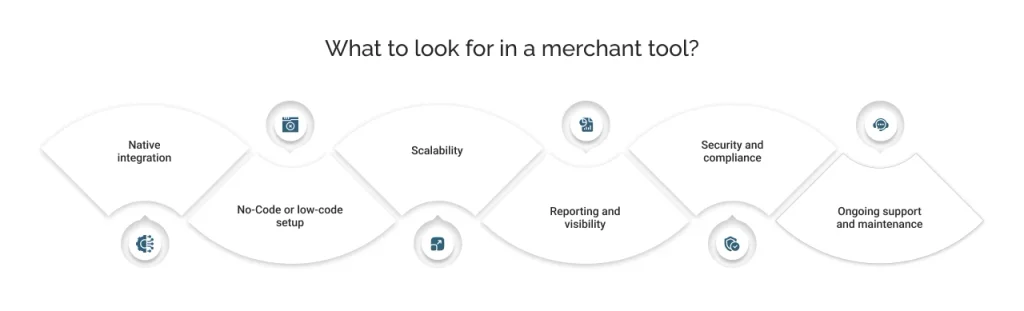
Native integration
- Runs directly inside Salesforce, not through a separate portal or dashboard
- Uses standard Salesforce objects, so data stays visible across records
- Avoids middleware layers that slow down data sync
No-Code or low-code setup
- Configurable through guided setup screens, not custom development
- Reduces dependency on a developer for routine changes
- Speeds up time to launch, often within days instead of weeks
Scalability
- Supports growing transaction volume, order counts, or customer records without a rebuild
- Works across multiple regions, currencies, or storefronts if the business expands
- Handles seasonal spikes without manual intervention
Reporting and visibility
- Surfaces relevant data directly on Salesforce records, giving teams one unified view instead of a separate dashboard.
- Updates in real time, so teams see current status without switching tools
- Real-time updates into existing Salesforce reports and dashboards to eliminate duplicacy and repeated efforts
Security and compliance
- Meets relevant certifications and compliance for the function it handles (PCI DSS for payments, tax compliance for tax tools)
- Encrypts sensitive data both in transit and at rest
- Provides clear audit trails for transactions or record changes
Ongoing support and maintenance
- Includes vendor-managed updates as Salesforce releases new versions
- Offers responsive support for configuration issues
- Doesn’t require or limit internal engineering resources to stay current
With these criteria in mind, here’s how the leading merchant solutions on AgentExchange measure up.
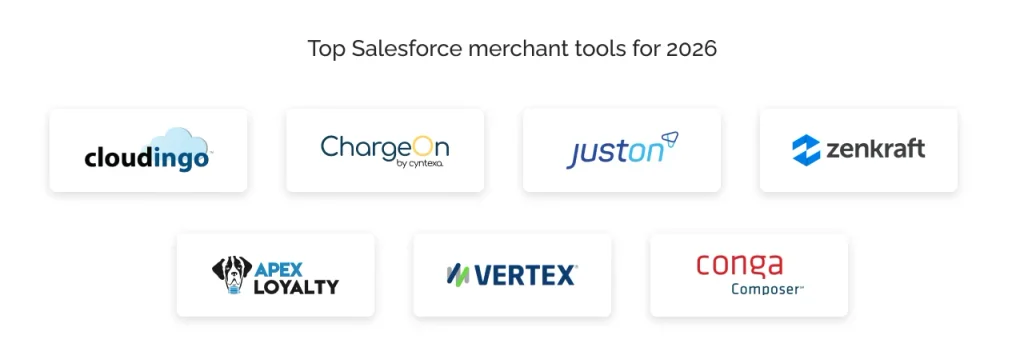
Top Salesforce merchant tools for 2026
Each tool below solves a distinct operational function and is available directly through AgentExchange (AppExchange). Here’s what each one does, why it matters for merchants, and where it fits into a Salesforce setup.
1. Cloudingo: Data quality & deduplication
Order accuracy, shipping addresses, and customer records all depend on clean data, and duplicate or outdated records quietly erode all three. Cloudingo finds, merges, and prevents duplicates across Leads, Contacts, and Accounts, keeping Salesforce data trustworthy for automation and reporting.
What makes Cloudingo different is where it sits in the process. Every other tool on this list depends on accurate data to work well, whether that’s a billing record, a shipping address, or a loyalty profile. When that underlying data is wrong or duplicated, the tools built on top of it reflect the error. Cleaning up the data first makes every other tool on this list more reliable.
Key Features
- Merges duplicates in real time or on a scheduled background run, using customizable matching rules
- Validates and standardizes U.S. addresses during import, reducing shipping and fulfilment errors
- Includes automatic backup and unmerge, recovering records if a merge goes wrong
- Tracks org health and security, flagging changes across logins, permissions, and API usage
2. ChargeOn: Payment processing & orchestration
ChargeOn is a Salesforce-native payment processing and orchestration platform built to handle the full range of how merchants collect and manage payments. It brings together multiple gateways, payment channels, and automation into one system, so merchants aren’t limited to a narrow set of payment methods.
Beyond core gateway orchestration, it extends into automation through Agentforce and supports headless 360 use cases through MCP-based access. This makes it suited for merchants who need more than basic payment collection.
Key Features
- Connects with 20+ payment gateways, including Stripe, PayPal, and Razorpay, through guided no-code setup
- Supports instant, scheduled, and recurring payments across online and offline channels
- Payment Gateway Fallback Mechanism that automatically reroutes failed transactions to a backup gateway
- Enables Agentforce-powered payment actions
- Supports Headless 360/MCP, connecting external AI agents to ChargeOn for payment processing
- Generates invoices automatically for every payment
- Offers multi-currency support with automatic formatting and smart gateway selection
- Allows safe testing through Sandbox and Production environment switching
3. JustOn: Billing & invoicing automation
Billing gets complicated fast once a business mixes subscriptions, one-time sales, and usage-based charges. JustOn automates this entire process inside Salesforce, turning contracts and usage data into accurate invoices without manual entry.
For merchants managing recurring revenue, this reduces both billing errors and the time spent chasing overdue accounts. Among Salesforce merchant tools, this one specifically focuses on the invoicing side of revenue.
Key Features
- Validates customer VAT IDs directly against the EU VIES system before invoicing, avoiding cross-border VAT liability
- Manages the full subscription lifecycle, upgrades, renewals, and cancellations flow straight into billing
- Delivers booking-ready accounting data, accounts, tax keys, and cost centers, ready to transfer to accounting systems
- Tracks real-time revenue KPIs like MRR, customer lifetime value, and churn through built-in analytics
4. Zenkraft: Shipping & fulfillment
Once an order is placed, fulfilment still involves several separate steps: generating labels, calculating rates, tracking packages, and processing returns, often across different carrier portals. Zenkraft, a Bringg Solution, brings this into Salesforce by connecting to over 200+ carriers directly from Salesforce records.
Teams can generate labels, calculate delivery costs, and track shipments without leaving their existing workflow. Returns are processed the same way, keeping the entire fulfilment lifecycle inside one system.
Key Features
- Offers real-time tracking on a merchant’s own branded website, instead of redirecting customers to a carrier’s tracking page
- Fulfils and ships from multiple locations, warehouses, store locations, or any other source
- Agentforce-ready, automating “Where is my order?” inquiries and letting service agents process returns through natural language
- Works across Sales Cloud, Service Cloud, and Commerce Cloud
- Reveals estimated delivery dates and costs upfront, along with multiple delivery options including in-store pickup
5. Apex Loyalty: Loyalty management
Retaining existing customers costs less than acquiring new ones, which makes loyalty program management a meaningful asset for merchants. Apex Loyalty is a B2B loyalty and engagement platform built natively on Salesforce, used by companies including PepsiCo and Haleon.
It lets teams design point-based or tiered programs, then automate how rewards are earned and redeemed. Because it runs on Salesforce, customer engagement data feeds directly into existing records instead of living in a separate system.
Key Features
- Runs both B2C and B2B programs from a single platform, supporting channel sell-in and end-user loyalty together
- Rewards behaviours beyond purchases, training completion, video views, and sales targets, not just transactions
- Supports full-stack or headless deployment, plugging into existing tech stacks via API
- Offers built-in digital vouchers redeemable through a combined points-plus-cash option
6. Vertex: Tax automation
Tax calculation gets harder as a merchant sells across more states, countries, or product categories, since rates and rules shift by jurisdiction. Vertex addresses this by calculating and standardizing sales, use, and value-added tax on every transaction, using continuously updated tax research.
It works directly within Salesforce Billing, CPQ, and Commerce Cloud, so tax rates apply automatically at the point of quote or checkout. This removes the need for teams to manually cross-check rates outside Salesforce.
Key Features
- Offers 9 certified AppExchange integrations across Sales Cloud, Revenue Cloud, and Commerce Cloud
- Automates tax rate and rule maintenance, reducing monthly tax research work
- Applies a unified global tax policy across multiple channels, marketplaces, mobile apps, and subscription tools
- Provides price transparency through multi-year rate lock options
- Automates tax calculation across 20,000+ jurisdictions
- Generates signature-ready tax returns alongside calculations
- Offers cloud and on-premise deployment options
7. Conga Composer: Document generation
Merchants generate a large amount of documents, quotes, invoices, and contracts that typically require pulling data manually from Salesforce records. Conga Composer removes that manual step, populating pre-built templates directly from Salesforce data.
It supports multiple output formats and integrates with CPQ and CLM workflows, so documents stay consistent across a business. Among the top Salesforce merchant tools in 2026, it is one of the most established document-generation tools in the Salesforce ecosystem.
Key Features
- Merges data from any source into any template through the Conga Composer API, supporting embedded use cases across websites and apps
- Outputs across five formats, PDF, Word, Excel, PowerPoint, and HTML, from a single template
- Fully white-labels the document and agreement process, keeping branding and security consistent
- Handles complex content natively, tables, charts, dashboards, watermarks, and global currencies, within generated documents
With each tool’s strengths laid out individually, here’s a quick comparison.
One-view comparison
The table below places best-fit use case and AgentExchange rating together for a quick side-by-side view.
| App | Best For | Starting Pricing | AgentExchange Rating |
|---|---|---|---|
| Cloudingo | Finding, merging, and preventing duplicate Salesforce records | $2,500/company/year | 4.81 |
| ChargeOn | Managing overall Salesforce payment processing, including gateway orchestration, fallback routing, and multi-currency support. | $3,500/company/year | 4.95 |
| JustOn | Generating compliant e-invoices and automating VAT validation across countries | Available on request | 4.96 |
| Zenkraft | Automating carrier shipping, tracking, and returns | $240/user/year | 4.97 |
| Apex Loyalty | Building and automating B2B/B2C loyalty and reward programs | $4,900/company/month | 4.86 |
| Vertex | Calculating tax automatically across thousands of jurisdictions | $2,500/company/year | 4.33 |
| Conga Composer | Auto-generating quotes, contracts, and invoices from Salesforce data | $6/user/month | 4.74 |
Ratings and features only tell part of the story. The right combination still depends on what your business actually needs
How to choose the right combination for your store?
Not every merchant needs every tool on this list. A few questions help narrow down what actually matters for your setup.
How many payment gateways or regions does your business need to support?
A single-gateway setup works fine with native tools. But businesses selling across regions need a platform built to manage multiple connections without separate integrations for each one.
How complex is your billing model?
One-time sales rarely need automation beyond basic invoicing. Subscriptions, usage-based charges, or multi-currency billing introduce compliance and reconciliation work that manual processes can’t keep up with as volume grows.
Which jurisdictions do you sell into, and how often do tax rules change for you?
A business operating in one state or country can often track tax rules manually without much risk. Selling across multiple states or countries means rates and rules shift constantly, and getting them wrong creates compliance exposure that is costly to fix.
How clean is your existing Salesforce data?
Years of manual entry, multiple integrations, or imported lists usually mean that duplicate or outdated records have accumulated over time. If billing, shipping, or reporting errors keep surfacing, inconsistent data is often the root cause, and it’s worth adding a tool to solve this issue.
How many carriers do you ship through, and how often do customers ask “where’s my order?”
A business shipping through a single carrier can usually manage tracking manually without much friction. Working with multiple carriers, or fielding frequent shipping status questions, signals that fulfilment has outgrown manual tracking and needs a centralized system instead.
Do you already have a loyalty or rewards program, or plan to build one?
Businesses that rely on one-time sales may not benefit much from loyalty programs. However, repeat-purchase businesses, or those planning to formalize an existing rewards process, benefit from automating point tracking and tier management instead of managing it manually or through spreadsheets.
How many documents, quotes, invoices, and contracts does your team generate weekly?
Occasional documents are manageable without added tools. High weekly volume, especially when the same data gets re-entered into templates repeatedly, is where manual document creation starts costing real time and introduces room for error.
Most merchants won’t need all seven categories from day one. Start with whichever gap is costing the most time or revenue right now, then add tools as the business grows into new complexity.
For merchants unsure where to begin, payment infrastructure is often the first gap worth closing, since it touches nearly every other function on this list. ChargeOn’s no-code setup makes it a practical starting point for teams still evaluating the rest.