

TOC
Table of Contents
Most businesses using Salesforce Experience Cloud portals redirect customers to a third-party payment page to complete transactions. While this approach works, it often creates disconnected payment experiences and operational challenges.
Payments are processed outside Salesforce, leaving invoices, bookings, subscriptions, or customer records to be updated manually. This creates data gaps, slows revenue visibility, increases reconciliation effort, and introduces unnecessary friction at the final step of the customer journey.
Integrating payments directly into Salesforce Experience Cloud eliminates these issues. Customers can complete transactions without leaving the portal, while payment status, invoices, orders, and customer records are updated automatically in Salesforce. The result is faster payment collection, real-time data synchronization, reduced administrative work, and a seamless self-service payment experience.
In this blog, we’ll explore when businesses need to accept payments in Salesforce Experience Cloud, the different implementation options available, and how ChargeOn enables secure, native payment processing within Salesforce without requiring custom development.
Payment scenarios in Experience Cloud and where built-in Salesforce falls short
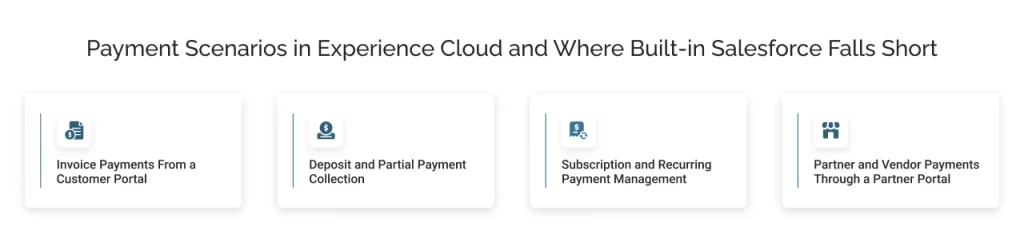
Four payment scenarios consistently surface across businesses running Experience Cloud portals. In each one, built-in Salesforce covers part of the requirement but stops short of completing the transaction. Here is where that gap shows up.
1: Invoice payments from a customer portal
B2B businesses using Experience Cloud give customers a portal to view account details, track orders, and access invoices. The logical next step is to let customers pay those invoices from the same place.
The challenge: 55% of all B2B invoiced sales in the US are currently overdue, and the average company loses $39,406 a year to late payments. The main reason is friction: customers have to leave the portal, log in to a separate payment page, and re-enter all the details, resulting in incomplete payments.
What Salesforce provides natively: Salesforce Billing can store invoice records and payment methods. However, it doesn’t give customers a self-service way to pay those invoices from inside an Experience Cloud portal without custom development.
2: Deposit and partial payment collection
Businesses in travel, events, and professional services collect deposits upfront and balance payments later. Managing this staged payment cycle, tracking the collection, outstanding payment, and due balance is an operational responsibility that sits with the merchant, not the customer.
The challenge: When deposit and balance tracking live outside the portal, the merchant’s support team becomes the only way for a customer to get a payment status update. That increases inbound support volume and delays resolution on both sides. According to Tidio, 63% of businesses using customer portals report significant reductions in support workload, but that reduction only materialises when the portal covers payment management, not just account information.
What Salesforce provides natively: Salesforce can store deposit and balance amounts as fields on a record. However, it cannot trigger or accept a staged payment from an Experience Cloud portal without a payment gateway integrated directly into the portal.
3: Subscription and recurring payment management
SaaS businesses, membership organisations, and subscription-based services need customers to update payment methods, view upcoming charges, and manage their billing cycle, all from the portal.
The challenge: When customers can’t update a card directly in the portal, they call support instead, or they don’t update it at all. A failed renewal because of an expired card is involuntary churn that costs nothing to prevent if the self-service experience is in place. According to Tidio, 63% of businesses using customer portals report significant reductions in support workload. That reduction depends on the portal covering the full scope of what customers need to action, including payment management.
What Salesforce provides natively: Salesforce Billing supports stored payment methods and recurring schedules. Giving customers the ability to update or manage those methods themselves from Experience Cloud requires an additional payment layer.
4: Partner and vendor payments through a partner portal
Businesses running partner portals on Experience Cloud often need to collect fees, commissions, or co-investment payments from partners. They want to collect it directly through the portal, rather than managing it outside Salesforce.
The challenge: When partner payments happen outside the portal, every transaction requires a manual record update in Salesforce. That creates reconciliation gaps and gives the partner no visibility into their payment history or outstanding obligations.
What Salesforce provides natively: Experience Cloud supports partner portal builds with full access to Salesforce data. However, it has no native way to accept or process payments from a partner directly within that portal environment.
In each scenario, the gap is the same: Experience Cloud surfaces the data, but has no native way to complete the transaction. So, to get the benefits of receiving payments in Experience Cloud, you need a payment layer that closes that gap. The next section covers exactly that.
Your options to accept payments in Experience Cloud
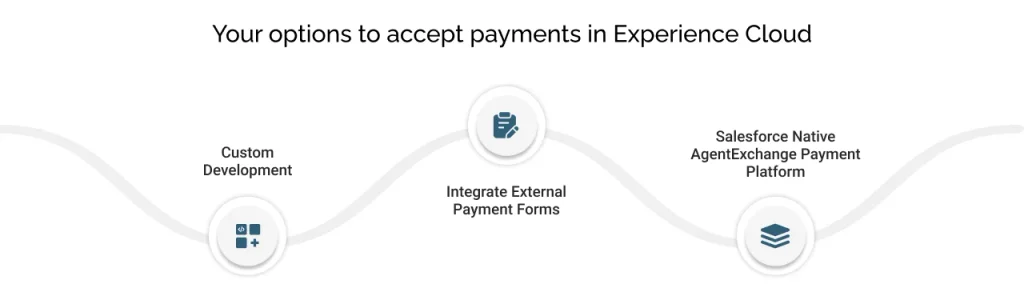
Once it’s clear that native Salesforce doesn’t cover payments inside Experience Cloud, most businesses evaluate three routes. Each has a different cost, complexity, and long-term maintenance profile.
1: Custom development
Businesses with a development team sometimes build a payment integration from scratch, connecting a payment gateway to Experience Cloud through Apex code, Lightning Web Components, and REST API calls.
What this involves:
- Building and maintaining a custom payment form inside the Experience Cloud portal
- Writing server-side logic to communicate with the gateway’s API
- Handling tokenization, error states, and retry logic manually
- Rebuilding or updating the integration every time the gateway or Salesforce releases a major update
This approach gives the most control but carries the highest cost and the longest timeline. It also creates ongoing maintenance overhead that grows every time either platform changes.
2: Integrate external payment forms
Some businesses integrate a third-party payment form, a hosted payment page, or an iFrame inside the Experience Cloud portal. The customer sees a payment interface, but it runs on a separate system.
What this involves:
- The payment form sits inside the portal visually, but operates independently
- Transaction data doesn’t automatically update the Salesforce record; it has to be pushed back in through a separate sync
- The branding and UX of the form rarely match the portal. To make it similar requires customization, increasing time and cost as well.
- Any reconciliation between the payment tool and Salesforce still happens outside the portal
This is faster to set up than custom development, but it recreates the data disconnect problem that Experience Cloud was meant to solve. The payment happens in one place, and the record lives somewhere else.
3: A Salesforce native AgentExchange payment platform
A payment platform built natively inside Salesforce connects to Experience Cloud without middleware, custom code, or a separate sync. The payment UI is part of the portal, the transaction data updates the Salesforce record immediately, and the entire setup runs within the same platform the business already manages.
What this looks like in practice:
- No separate system to connect or maintain
- Transactions update the customer record in real time, no batch sync, no lag
- PCI compliance is handled within the payment layer, not bolted on separately
- Payment methods, schedules, and history are all visible inside the same portal session
Of the three options, a native AgentExchange solution eliminates both the development overhead and the data disconnect, and that’s exactly what ChargeOn is built for.
How does ChargeOn enable payments in Experience Cloud?
ChargeOn is a 100% Salesforce-native payment processor platform, meaning it runs inside Salesforce, not alongside it. For businesses adding payments in Salesforce Experience Cloud, that distinction matters more than it sounds.
Most payment tools connect to Salesforce through an API. ChargeOn doesn’t need to, it’s already there. Every payment a customer makes through the Experience Cloud portal updates the Salesforce record instantly, with no middleware, no sync delay, and no separate dashboard to check.
Here’s what that looks like across the four scenarios covered earlier:
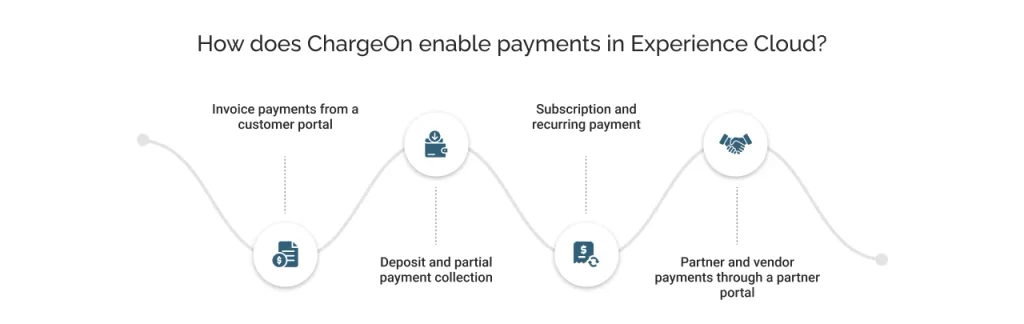
1: Invoice payments from a customer portal
Customers can complete instant payments directly through the Experience Cloud portal using ChargeOn’s Payment Portal component available to users with the ChargeOn Experience Cloud User Permission Set. Once a payment is made, the invoice record updates in Salesforce immediately and is visible to finance teams in the CRM in real time. Invoices themselves are managed within Salesforce rather than displayed on the portal, keeping sensitive billing data inside the CRM environment.
2: Deposit and partial payment collection
ChargeOn supports staged payment structures, deposit now, balance later, directly from the portal. Each payment stage updates the same record, so support teams always have an accurate view of what has been paid and what remains outstanding, without checking a separate system.
3: Subscription and recurring payment
Customers can update payment methods, view upcoming charges, and manage their billing cycle from inside the portal. ChargeOn handles the recurring charge logic natively in Salesforce, so a failed renewal triggers an automatic retry rather than an involuntary churn event.
4: Partner and vendor payments through a partner portal
Partners can pay fees, commissions, or co-investment amounts directly through the Experience Cloud partner portal. ChargeOn’s Gateway Hosted Fields ensure card data is captured and processed by the gateway, while every transaction updates the partner record in Salesforce automatically.
Every scenario in this blog has the same root cause: a payment that needed to be processed in the portal, with no native way to complete it. Adding ChargeOn closes that gap without custom development, without middleware, and without a separate system to reconcile against.