

TOC
Table of Contents
Salesforce Experience Cloud offers businesses a secure portal where customers can log in, submit support tickets, track orders, and manage their accounts. However, it does not include a built-in payment layer. Completing a transaction still requires customers to leave the portal and use a third-party payment solution.
Adding a payment solution to Salesforce Experience Cloud eliminates this gap. Instead of redirecting customers to an external payment page at the most critical moment, the entire transaction takes place within the portal they already know and trust.
This blog explores the top benefits of integrating payments with Salesforce Experience Cloud, including the changes it brings for your customers, the benefits it offers your internal teams, and what to look for in a payment solution built specifically for the Salesforce platform.
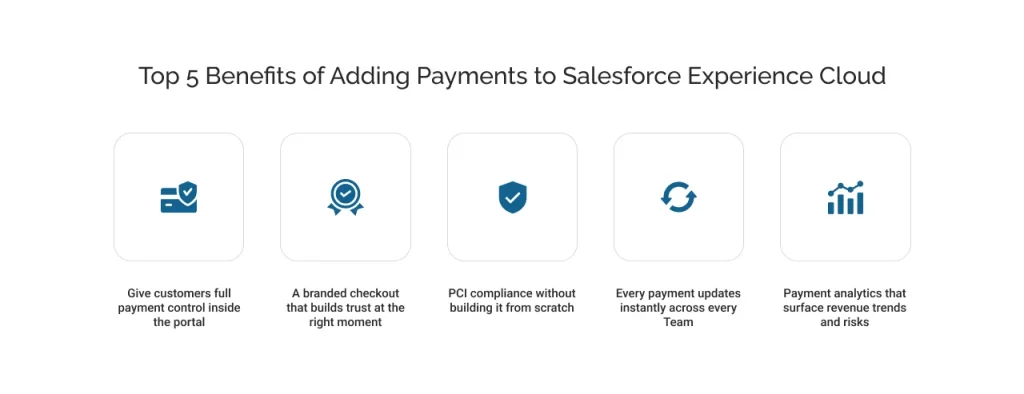
1. Give customers full payment control inside the portal
Most B2B buyers would rather resolve billing and payment queries on their own than contact a support team. When a buyer can view an invoice, check payment status, or update a card without raising a request to the support team, the entire interaction moves faster for both sides.
According to the 2026 Global Payments Commerce and Payment Trends report, 83% of merchants plan to significantly automate customer interactions through self-service platforms over the next two years.
Salesforce’s own research adds to this: 61% of customers already prefer self-service for routine tasks. However, Experience Cloud does not offer this feature, which means the self-service experience breaks down at the point of transaction when the customer actually converts.
Now, here’s what changes when payments are built into the portal:
- A customer viewing an outstanding invoice can pay it immediately, without being redirected elsewhere.
- Payments are available 24/7, no business hours, no support ticket, no waiting.
- Customers on any device, desktop or mobile, complete the transaction inside the same environment they logged into.
- For businesses managing recurring billing or instalments, customers can manage their own payment schedules without contacting anyone.
2. A branded checkout that builds trust at the right moment
Checkout is where customers are most likely to second-guess a transaction. According to Shopify, 19% of shoppers abandon checkout specifically because they don’t trust the site with their payment information. A redirect to a generic third-party payment page at that exact moment is the fastest way to confirm that distrust.
A branded checkout inside Experience Cloud removes that break entirely:
- The payment UI inherits the portal’s look, feel, and branding, with no visual disconnect at the point of card entry.
- Customers never feel like they have left a trusted environment when entering sensitive payment details.
- Multiple payment methods, including cards, digital wallets, and ACH, can be surfaced inside the same branded experience.
- As per the 2026 Global Payment Report, with 97% of global POS terminals now accepting digital wallets, supporting them inside the portal keeps checkout aligned with the customer’s preferred payment methods.
3. PCI compliance without building it from scratch
PCI DSS compliance is a non-negotiable requirement for any business handling card payments.
Without a compliant payment layer, the business is responsible for securing every payment system that touches card data. The payment environment systems include regular security scans, detailed documentation, and certifications that need renewing.
The 2026 Global Payments report found that 86% of businesses rate security and fraud prevention as the most important factor.
Integrating payments in Salesforce Experience Cloud through a compliant payment gateway shifts that burden:
- Card data is captured and tokenized within the payment layer’s certified environment, not inside the portal itself.
- This keeps Experience Cloud outside the most demanding PCI scope requirements.
- Customer payment methods can be tokenized and stored for recurring billing or installments without the business holding raw card data at any point.
- Transaction logs and audit trails are maintained automatically within the gateway, reducing manual documentation at renewal time.
4. Every payment updates instantly across every team
When payments are managed outside Experience Cloud through a separate gateway or a third-party tool, every transaction creates a data synchronization problem. A payment gets cleared on one system, but someone has to manually update the record for another.
This results in the finance team always working with outdated numbers, while the support team is always checking a separate tool before answering a customer question.
Adding a native payment layer inside Experience Cloud eliminates that handoff. Every payment a customer completes on the portal reflects on their Salesforce record the moment the transaction clears, and every team sees it at the same time.
What that means across the business:
- Finance teams see accurate revenue figures in real time, without waiting for an end-of-day batch sync from a third-party gateway
- Support teams can see the payment status the moment a transaction completes, and can answer follow-up questions without checking a separate system
- Disputed payments, failed transactions, and refund requests can be actioned directly from the record where all the context already lives
- Partial payments, instalments, and deposit balances all update against the same record, giving every team a single, accurate view of what has been paid and what remains outstanding
5. Payment analytics that surface revenue trends and risks
Most businesses track payment status. However, fewer track the pattern of payments. These patterns suggest to them which customers consistently pay late, which payment methods have the highest failure rates, and where revenue is leaking through failed retries or lapsed instalments.
When payments live inside Salesforce through Experience Cloud, all of that data sits in the same environment as the customer record. That means it can be reported on, segmented, and acted on without exporting anything to a separate analytics tool.
What becomes visible that wasn’t before:
- Payment success and failure rates by customer segment, region, or payment method surfaced directly inside Salesforce reports.
- Customers with a history of failed payments or lapsed instalments can be flagged automatically before the revenue is lost.
- Outstanding balances across the entire customer base can be tracked in one dashboard, rather than reconciled manually from a separate finance tool.
- Revenue trends by product, by period, or by payment method become reportable from the same platform the business already uses for everything else.
Experience Cloud gives businesses a portal. A native payment layer like ChargeOn gives it the ability to complete a transaction, update a record, and close the loop without sending a customer elsewhere.
Two ChargeOn features make this work directly inside the portal:
The Experience Cloud Payment Portal lets authenticated users view transaction history, manage saved payment methods, and complete payments without needing internal Salesforce access.
Gateway hosted fields ensure card data is captured and processed by the payment gateway, entirely and simplifying compliance scope.
Together, both features turn an Experience Cloud portal into a complete, secure, self-service payment environment.