

TOC
Table of Contents
For businesses using Salesforce, collecting payments does not have to mean switching tabs, sending manual follow-ups, or waiting for someone to update a record. This process is made easy using Payment links.
Payment links enable you to send a secure, trackable payment request directly from Salesforce and automatically record the transaction when the customer pays.
As a result business gets faster collections, unified CRM data, and a payment experience that requires no manual intervention from your team.
Whether you are billing for a closed deal, a scheduled milestone, or a one-time service, payment links keep the entire process inside Salesforce.
This guide covers how payment links work in Salesforce, where the native capabilities fall short, and what businesses are using to bridge that gap without writing a single line of custom code.
How does Salesforce help you generate payment links?
Salesforce does not offer a dedicated, out-of-the-box payment link feature. But it does provide a set of native tools that businesses use to build payment link workflows within the platform.
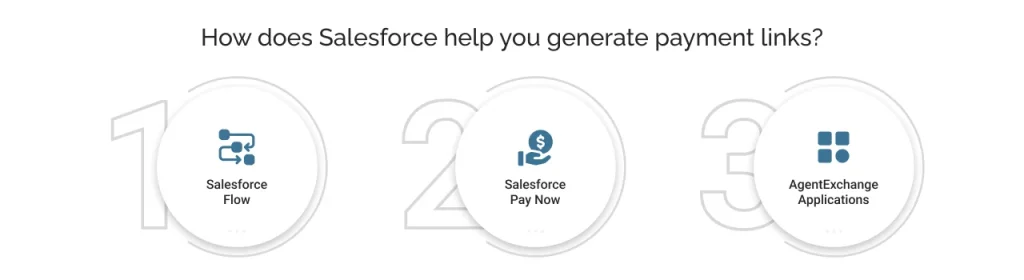
Salesforce Flow
The most commonly used approach. A Record-Triggered or Screen Flow can be set up to generate a payment request and send it to a customer via email. It triggers at a defined point, for example, when you create an invoice. It automates the delivery but still requires a payment integration layer to process the actual transaction.
Salesforce Pay Now
Salesforce offers a native Pay Now feature, mainly designed for businesses using Salesforce Billing or Commerce Cloud. However, it works best within these two ecosystems and doesn’t extend easily to custom objects.
It generates a payment link tied to an invoice and sends it to customers. It supports credit cards, debit cards, ACH transfers, and additional payment methods, depending on the connected payment gateway.
AgentExchange Applications
For businesses that need more than what the built-in tools offer, AgentExchange applications provide payment link capabilities natively inside Salesforce.
Applications like ChargeOn extend this functionality significantly, supporting multiple payment gateways, recurring and scheduled payment links, custom object mapping, and full transaction visibility within Salesforce.
You can choose any approach depending on your business complexity, payment methods, and the extent to which you want to manage the payment lifecycle within Salesforce.
The following section breaks down where the native approaches fall short in collecting payments in Salesforce and why that gap matters.

Common challenges of generating payment links in Salesforce and their business impact
Salesforce is built to manage relationships and revenue pipelines, but generating and sending payment links natively is not a straightforward capability. Businesses that attempt to build this workflow within Salesforce quickly run into a set of recurring challenges.
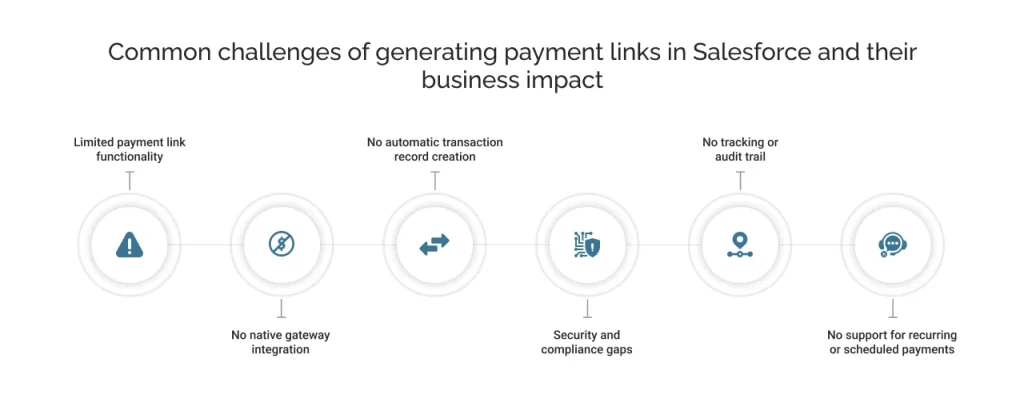
Limited payment link functionality
As we have mentioned above, Salesforce Flow and Pay Now can generate payment links, but only within specific Salesforce products and use cases.
There is no direct gateway connection from a record, no support for custom objects, and no flexibility for complex payment workflows. Teams that need more either rely on external tools or invest in custom development.
Impact: Delayed payment collection and a broken workflow that pulls teams outside Salesforce.
No native gateway integration
Salesforce flows can trigger actions and generate emails, but they have no built-in connection to payment gateways. It requires custom development to connect Salesforce to a payment gateway and power a payment link.
Bridging that gap requires custom Apex code, external API callouts, and ongoing maintenance every time a gateway updates its API.
Impact: High engineering cost and a fragile integration that breaks without dedicated technical support.
No automatic transaction record creation
When a customer pays through an externally generated link, the payment status does not flow back into Salesforce. No record is created. Someone has to manually update the CRM.
Impact: Inaccurate CRM data, reconciliation delays, and zero real-time visibility for the team.
Security and compliance gaps
Payment pages built on external tools or third-party portals often lack the tokenization and PCI DSS compliance controls required for card data handling. Without a dedicated integration layer, your team carries the compliance responsibility, including security reviews, audits, and certification.
Impact: Increased risk of data breaches and regulatory exposure.
No tracking or audit trail
Externally generated links offer no visibility into whether the customer opened the link, attempted payment, or completed the transaction.
Impact: Finance and sales teams operate without transparency, leading to many follow-ups and missed collections.
No support for recurring or scheduled payments
You can send a Salesforce payment link for a one-time payment using Flow. However, there is no option for a payment link that supports a future scheduled charge or a recurring billing plan.
Impact: Doesn’t work for businesses managing subscriptions, instalments, or deferred payments
How ChargeOn solves payment link challenges?
Generating and sending payment links in Salesforce through ChargeOn requires no custom development, middleware, or external tools. Here is how to get started and how the process works end-to-end.
Step 1: Install ChargeOn from AgentExchange (formerly known as AppExchange)
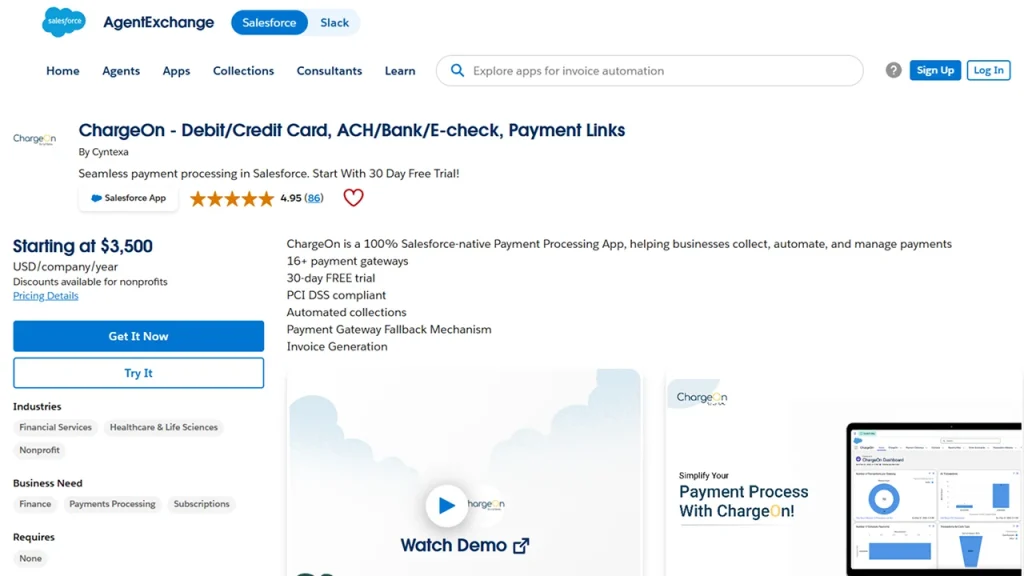
Start by installing ChargeOn directly from the Salesforce AgentExchange. It is a 100% Salesforce-native application with no code required to install.
Step 2: Set up and configure
Once installed, you connect to the preferred payment gateway and map ChargeOn to the Salesforce objects your team works from: Opportunities, Accounts, Orders, or any custom object.

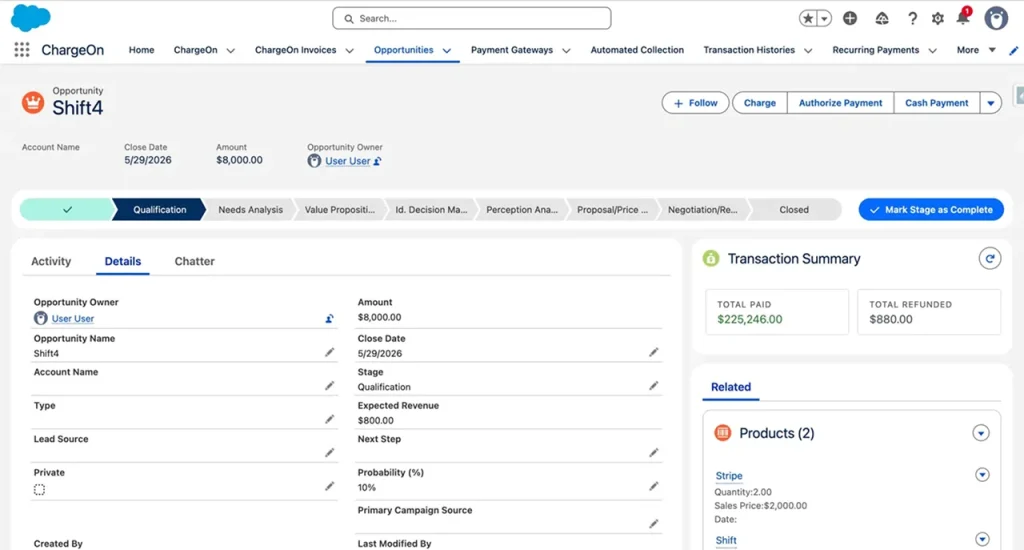
Step 3: Click the charge button
From any previous Salesforce record, the business user clicks the Charge button, the single entry point for all payment actions in ChargeOn.
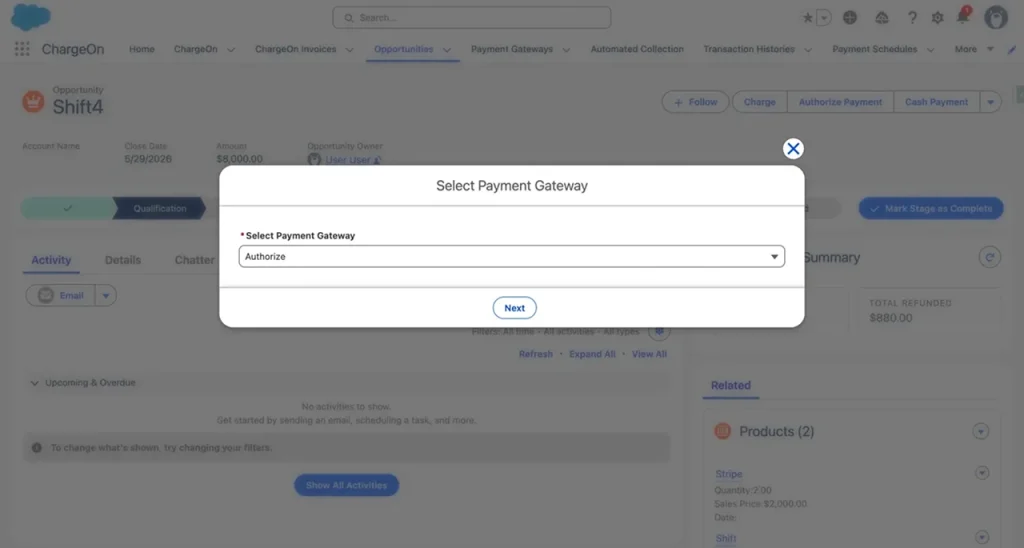
Step 4: Select your payment gateway
You select the preferred gateway for this transaction, such as Stripe, Authorize.Net, PayPal, or others. If someone has already selected a default gateway, the system automatically skips this step, making the payment link generation process even faster.
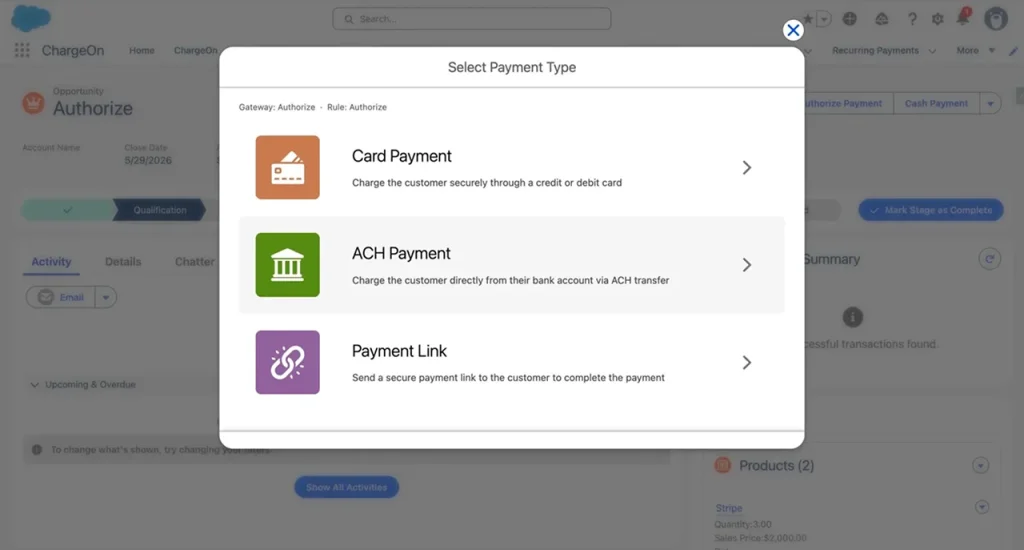
Step 5: Select payment link as the payment type
From the available payment types, including Card Payment, ACH Payment, and Payment Link, you select Payment Link. This tells ChargeOn to generate a Salesforce-hosted link rather than processing an immediate charge.
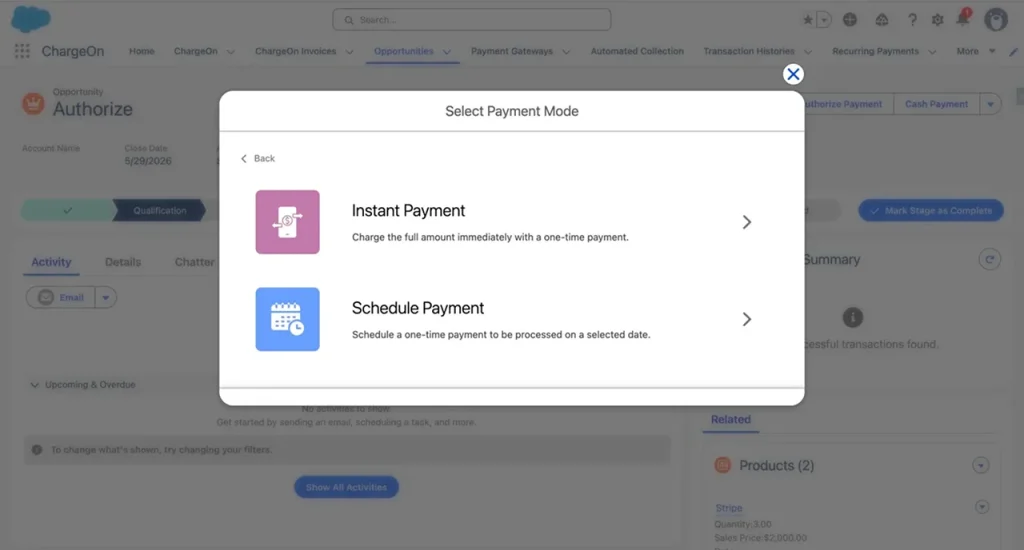
Step 6: Choose instant or scheduled
You select either Instant Payment, where the customer pays upon clicking the link immediately, or Scheduled Payment, where the link is tied to a future charge date. This flexibility is what makes links in Salesforce work for both immediate collections and scheduled billing scenarios.
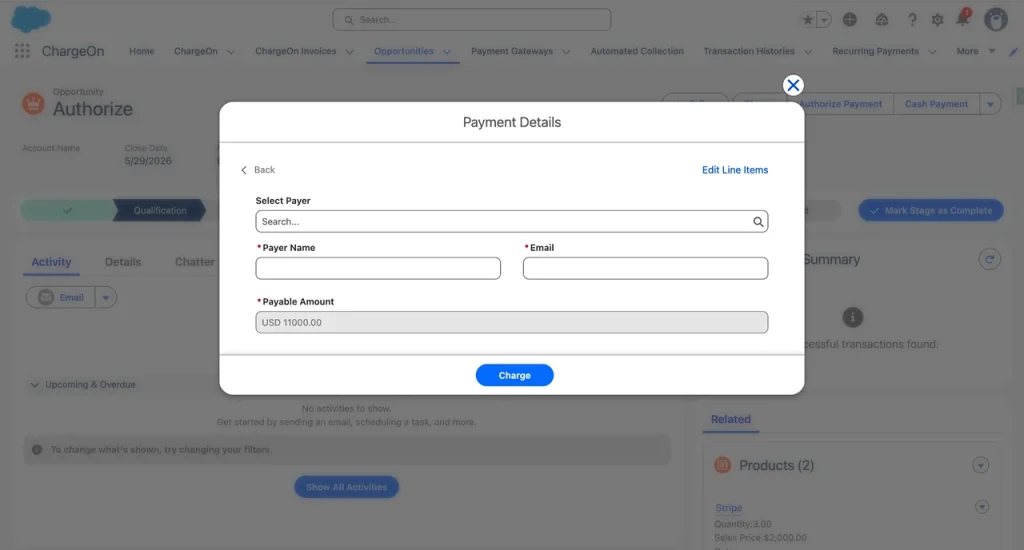
Step 7: Fill in the payment details and send the link
You enter details like payer name, email address, and amount. If the record is already linked to a Contact or Account in Salesforce, these fields are auto-filled.
You click Charge, sending the link instantly to the customer’s email. The link is stored against the originating record for audit and tracking purposes.
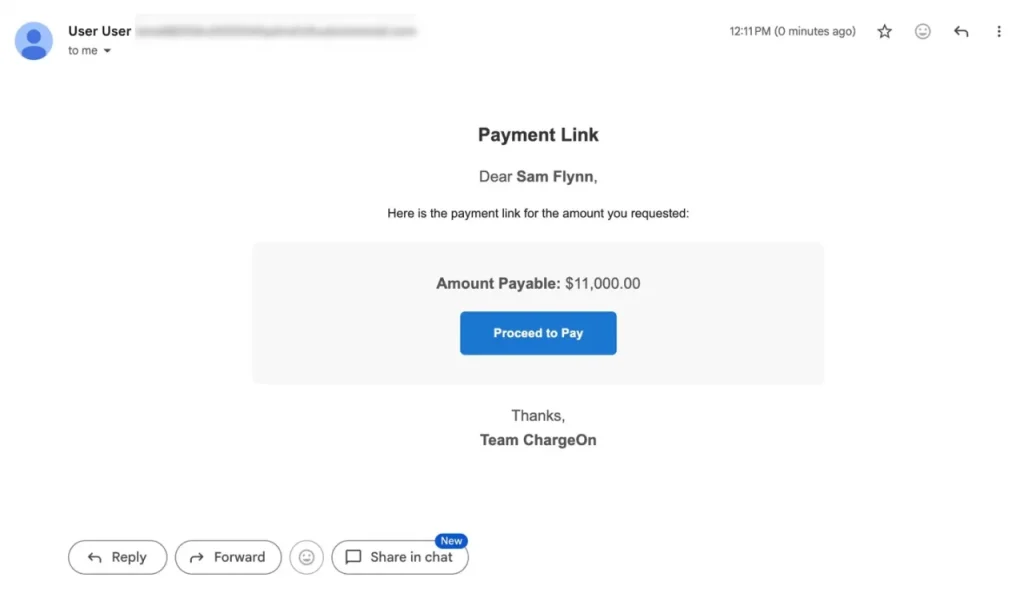
Step 8: Customer completes the payment
The customer receives the email, clicks Proceed to Pay, and lands on a payment page without logging in again.
They select their preferred payment method, choose between Card or Bank Account to enter their details, and click Pay.
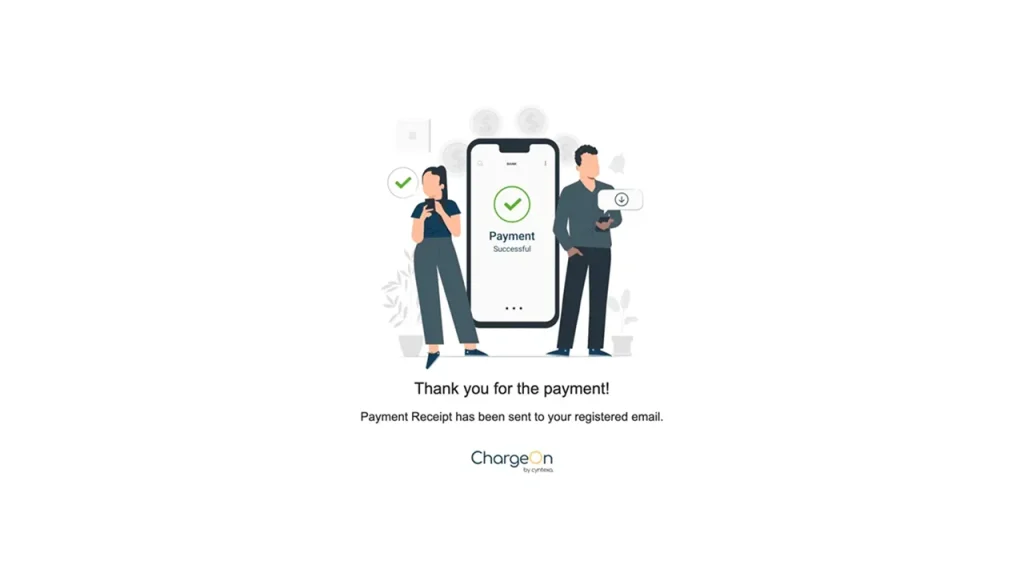
Step 9: Payment confirmed and updated automatically
The moment the transaction is processed, the customer sees a confirmation screen and receives a payment receipt on their registered email.
Simultaneously, ChargeOn records the Transaction History, linking it to the originating record with the Total Paid amount updated in real time. This is what makes it possible to collect payments in Salesforce end-to-end, with zero manual touchpoints.
Key benefits of using ChargeOn to generate payment links
Beyond the features, here is the tangible impact ChargeOn delivers when it comes to managing payment links in Salesforce:
Zero engineering dependency
Any business user can generate and send a payment link in Salesforce in under a minute with no Apex, no API maintenance, and no developer involvement at any stage.
Fraud protection
Each ChargeOn payment link page uses reCAPTCHA. This stops bots and fraud attempts before the transaction stage. It also keeps the process smooth for real customers.
Complete audit trail
Every link generated is stored in the Salesforce record with its URL, status, and full transaction details. Finance and operations teams have instant visibility into what was sent, completed, and what still needs follow-up.
Automated revenue recovery
If a customer misses a payment, ChargeOn’s Automated Collections feature sends timed reminder emails with a refreshed payment link. Also, it retries saved payment methods automatically without any manual follow-up.
ChargeOn Scales with your growing business needs
ChargeOn handles the transactions across multiple gateways, multiple currencies, and complex billing structures without additional development. It helps you to create additional workflows with additional Salesforce capabilities, resulting in increased profit and productivity.
Beyond payment links: Other ways ChargeOn powers payment collection in Salesforce
Payment links in Salesforce are just one of the other versatile functionalities that ChargeOn brings into Salesforce. For businesses looking to manage their entire revenue collection from one place, here is what else ChargeOn makes possible.
- Instant Payments: Charge a customer on the spot from any Salesforce record. No link, no delay, no tab switching.
- Scheduled Payments: Define a future charge date, and ChargeOn processes it automatically. See how scheduled payments work in Salesforce.
- Recurring Payments: Automate subscription or installment billing at any frequency. Learn how ChargeOn manages Salesforce subscriptions.
- Automated Collections: When a payment becomes overdue, ChargeOn sends reminders, retries saved payment methods, and progresses through follow-up stages automatically.
- Gateway Fallback: If the primary gateway fails, ChargeOn retries through up to three backup gateways, protecting revenue without manual intervention. Know how ChargeOn handles multi-gateway challenges.
- Invoicing: Every payment is linked to a system-generated invoice, tracking status from Due to Paid, Partial, or Overdue.
- Multi-Currency Support: Process transactions across regions in multiple currencies, with automatic formatting. Explore multi-currency support in Salesforce.
Each capability works independently. Together, they make ChargeOn the most complete way to collect payments in Salesforce from a single platform.