
TOC
Table of Contents
Integrating a payment gateway in your Salesforce-backed business platform is a smart move. You get everything in one place, automated payment workflows, real-time customer data, and a powerful CRM for your team.
But here is the question nobody asks after integration: what is your team’s experience actually like?
Because while your payment gateway is processing transactions, your sales reps are still manually updating records. Your finance team is reconciling payments in spreadsheets. Failed transactions are slipping through unnoticed. And recurring billing? Still a manual process.
The integration was step one. But a connected payment gateway without the right experience built around it is just a starting point. For most businesses using Salesforce, that gap is costing them revenue every single day.
Why is payment gateway experience directly tied to revenue?
Most businesses treat the payment gateway as a backend technical component. The reality is different. When a customer gets to the payment step, your gateway’s experience can either finish the sale or lose it. This affects your relationship with the customer and your revenue.
The numbers make this impossible to ignore:
- A 1-second delay in page load time reduces sales by 7%. On a payment page, where the customer is in mid-transaction, that delay triggers trust concerns, not just impatience. (Source: Alexander Javis)
- 47% of consumers expect payment pages to load in 2 seconds or less, setting the bar higher than most businesses currently meet. (Source: RazorPay)
- Every month, SaaS businesses lose 1–4% of customers due to involuntary churn. This happens not because customers want to leave, but because a payment failed and wasn’t recovered. (Source: GoCardless)
- Online merchants lose 62% of customers who experience a failed transaction. One poor payment gateway experience does not just lose the sale, it loses the customer permanently. (Source: Finance Magnets)
For companies handling payments in Salesforce, there are three main risks:
- Revenue leakage: failed transactions that go unresolved quietly reduce collections over time.
- Customer churn: a poor payment experience not handled proactively results in a lost customer, not a recovered payment.
- Operational cost: every failed transaction requiring manual help slows down a process that should run automatically.
Here are some tips for businesses to deal with failed transactions.
The payment gateway experience has a direct impact on revenue, retention, and operational efficiency.
Where do most Salesforce payment gateway setups stand today?
Salesforce gives your team a starting point for managing payments. But for most businesses, the native capabilities only go so far.
Here is the current status of Salesforce’s native capabilities and the gaps in its connection with payment gateways:
| What Salesforce gives you | Where the gap appears |
|---|---|
| CRM data infrastructure: all customer data in one place, tied to the right record | No automatic transaction records: payments processed externally do not create a record in Salesforce |
| Workflow automation via Flows: create invoices, send follow-up emails, and update record statuses only for the customer data | No recurring or scheduled billing: Flows cannot configure subscription plans, installment schedules, or future charges |
| Reporting and dashboards: track payment trends, forecast revenue, and spot at-risk accounts on live CRM data | Reconciliation happens outside Salesforce: finance teams export payment gateway data and cross-reference it manually in spreadsheets |
| Object flexibility: payment workflows can be mapped to any standard or custom Salesforce object | No gateway fallback: if a payment gateway fails mid-transaction, there is no automatic retry. Every failure requires manual intervention |
| AgentExchange ecosystem: To enhance Salesforce’s limited payment capabilities, you have AgentExchange apps like ChargeOn. | No multi-currency support: standard integrations do not adapt to regional currency formats, forcing global teams to convert manually |
For most businesses, this is the default state after a basic payment gateway in Salesforce integration. The connection exists, but the experience is incomplete. And those gaps compound over time, costing revenue, adding operational load, and creating visibility issues across your team.
Then how do you improve it? We will discuss it further!
What does a great payment gateway experience look like?
A great payment experience in Salesforce is not defined by whether payments go through. It is defined by what happens around every payment, before it, during it, and after it, for your team and your customers.
Here is what the ideal state looks like:
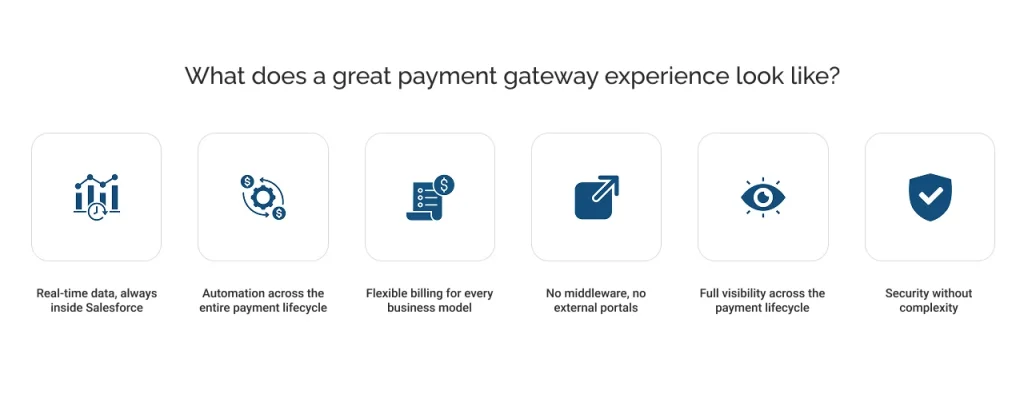
Real-time data, always inside Salesforce
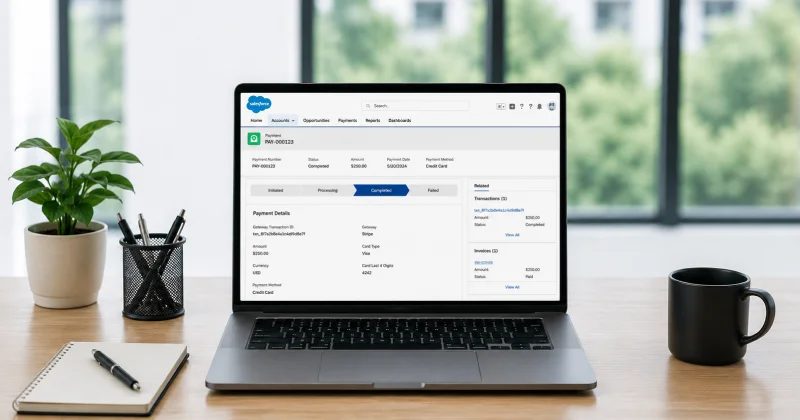
Every transaction, whether successful, failed, refunded, or pending, automatically creates a record in Salesforce. Sales reps, finance teams, and operations teams all see the same data in real-time without manual updates.
Automation across the entire payment lifecycle
Invoice generation and reminders are automated before a payment is due. Failed payments should trigger a retry while overdue accounts enter a collection workflow. None of this requires manual action from your team.
Flexible billing for every business model
Manage one-time payments, scheduled charges, recurring subscriptions, and installment plans all in one place. It aligns with the Salesforce objects your team already works with. Learn more about collecting payments using payment links in Salesforce for remote and invoice-based collections.
No middleware, no external portals
Your team should be able to process payments from the same record they use to manage the customer. They can do this process without switching tabs to log into a separate gateway dashboard.
Full visibility across the payment lifecycle
From invoice generation to payment confirmation, Salesforce tracks, logs, and reports every step. Different teams perform different duties. For instance, finance teams run reports, and sales teams see payment status on their Opportunities. Meanwhile, operations track overdue accounts in real time.
Security without complexity
Payment data is tokenized at the gateway level, so raw card details are not exposed. PCI DSS compliance is built into the architecture, not something to add later on.
This is not an aspirational state. It is exactly what a native payment gateway integration delivers when the right tool is in place to accept payments in Salesforce.
How does ChargeOn enhance your payment gateway experience in Salesforce?
Every gap covered in the previous section has a direct answer in ChargeOn. It is a 100% Salesforce-native payment gateway integration app that doesn’t sit outside Salesforce, it lives inside it. Every feature, every transaction, and every record stays within your org.
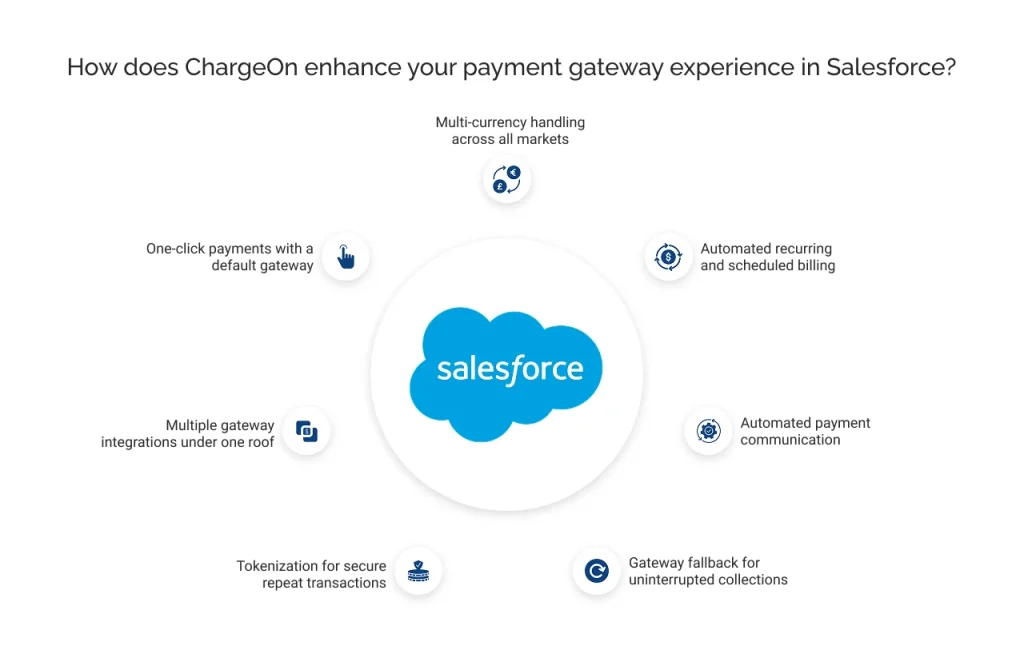
One-click payments with a default gateway
Admins pre-configure a preferred gateway at the configuration level. ChargeOn automatically skips the gateway selection screen, taking your team directly to payment. Therefore, fewer clicks lead to faster collections.
Multiple gateway integrations under one roof
ChargeOn connects your Salesforce Org to multiple payment gateways like Stripe, PayPal, Authorize.Net, Adyen NMI and more simultaneously. Your team switches between them based on cost, region, or performance without rebuilding the setup.
Tokenization for secure repeat transactions
ChargeOn stores customer payment methods as reusable tokens. Tokenization replaces raw card data with tokens, making your recurring and scheduled payments fully automated and PCI DSS compliant.
Gateway fallback for uninterrupted collections
When a primary gateway fails, ChargeOn automatically retries through up to three backup gateways, in priority order. No manual intervention from your team. No lost revenue.
Automated payment communication
ChargeOn manages the entire communication layer between Salesforce and the payment gateway, including pre-charge notifications, expiry alerts, and payment receipts without any manual action from your team.
Automated recurring and scheduled billing
From subscription plans to installment schedules, ChargeOn automates your entire billing cycle inside Salesforce. Explore how scheduled payments are configured without custom development.
Multi-currency handling across all markets
ChargeOn automatically adapts to currencies with 0, 2, and 3 decimal places, so your team processes cross-border transactions correctly without manual configuration. See how multi-currency payments work in Salesforce.
The gap between a connected payment gateway in Salesforce and a great payment experience is not a technical problem. It is a configuration one, and ChargeOn solves it natively, without middleware, without custom code, and without leaving Salesforce.