
Activate or Deactivate a Payment Method
Switch a saved payment method off without losing it, or switch it back on. Reversible, unlike deleting one.
Before You Start
Use this action on a payment method with status Active or Inactive. For an Expired or Deleted method, save a new payment method.
Steps
-
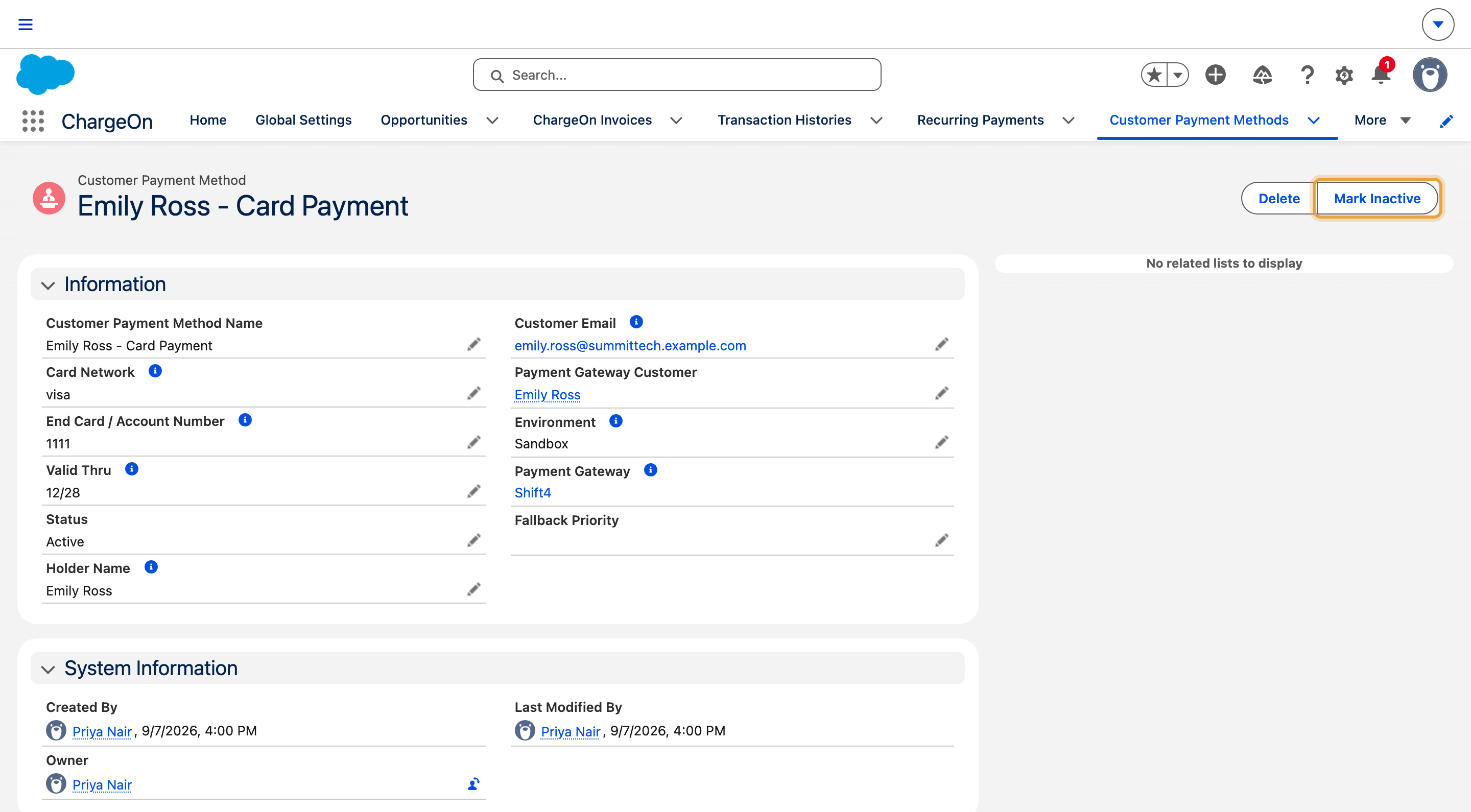
Open the payment method record. The example uses the saved card on Emily Ross’s Summit Technologies Q4 expansion plan, billed as four $2,125 payments.
-
Click Mark Inactive to switch it off, or Mark Active to switch it back on.
-
If the method is currently in use by an active installment plan, subscription or scheduled payment, ChargeOn asks you to choose a replacement first: an existing saved method, or a newly registered one. Make your choice.
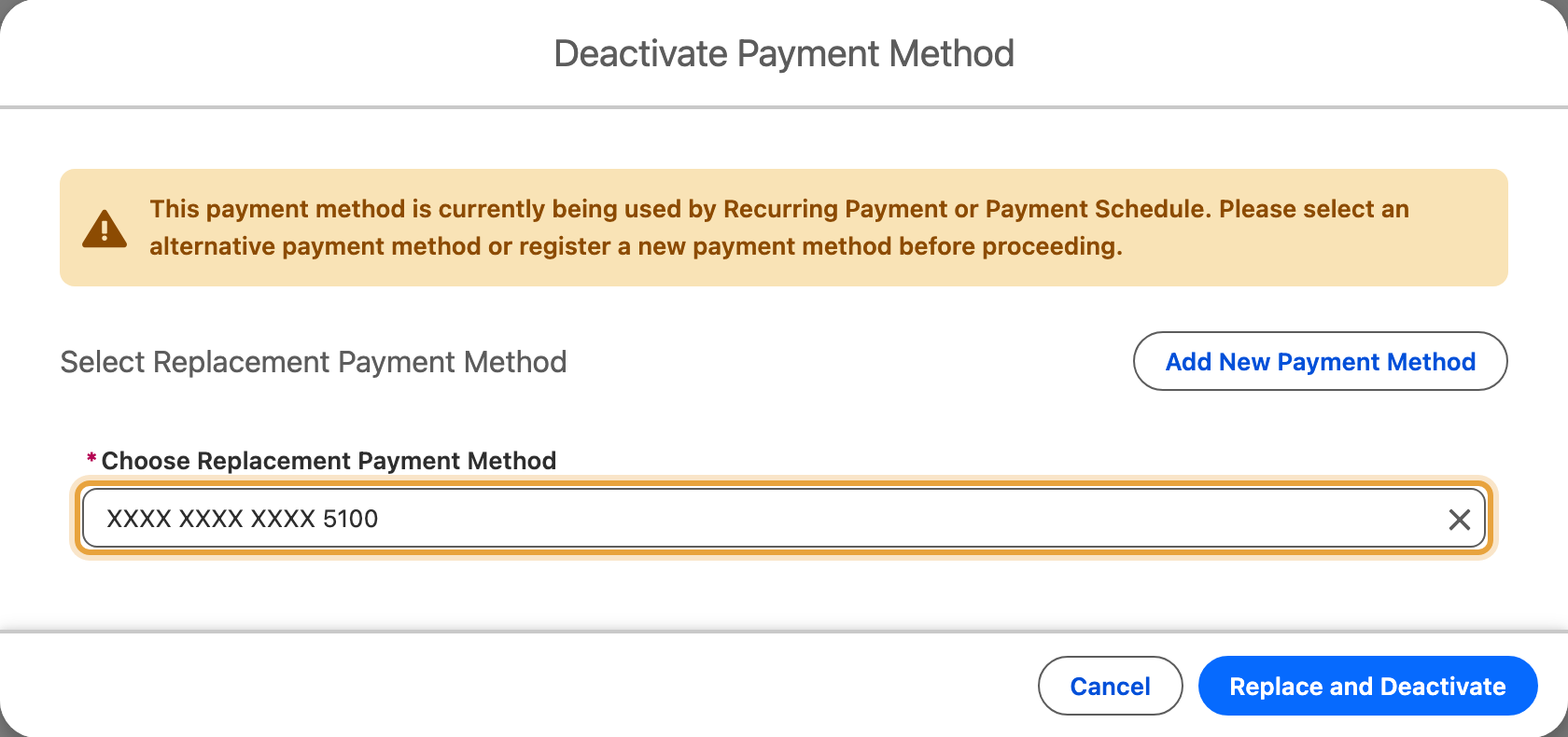
Confirm.
What You Should See
The method's status changes to Inactive or Active. If you choose a replacement, the installment plan, subscription or schedule now uses the new method instead, and the old method is deactivated.
If It Does Not Work
| Symptom | Likely cause | What to do |
|---|---|---|
| "The Card is already expired." | The method's status is Expired | This is terminal: save a new payment method instead |
| "This payment method has been deleted and cannot be reactivated." | The method's status is Deleted | This is terminal: save a new payment method instead |
| You are asked to pick a replacement, but there is not a good one to choose | The customer needs another saved method for this gateway | Save a new payment method for the customer first |
| Deactivation is blocked outright, with no option to replace | With some gateways, the customer completes payment on the gateway's own page, and the gateway stores the payment method instead of ChargeOn; a method saved this way cannot be swapped in place while still in use | Abort the installment plan or subscription first, then deactivate the method. Pausing it is not enough: a paused plan still counts as using the method |