
Rotate the Encryption Key
ChargeOn encrypts your gateway credentials, gateway customer profiles and saved payment method tokens at rest. Rotating the key replaces it with a new one, with zero downtime. Every record stays readable the whole time, because ChargeOn keeps trying the new key, then the one before it, then the one before that, until every record has been re-encrypted.
This touches every credential and token ChargeOn has stored
Nothing stops working while rotation runs, but it is not something to click without reason. Do it as a deliberate security practice, not experimentally.
Before You Start
- You need the Manage Encryption Keys permission, part of the ChargeOn Admin or ChargeOn Implementation Admin permission set.
- Allow 24 hours between rotations.
- Confirm the previous migration has finished before starting another rotation.
Steps
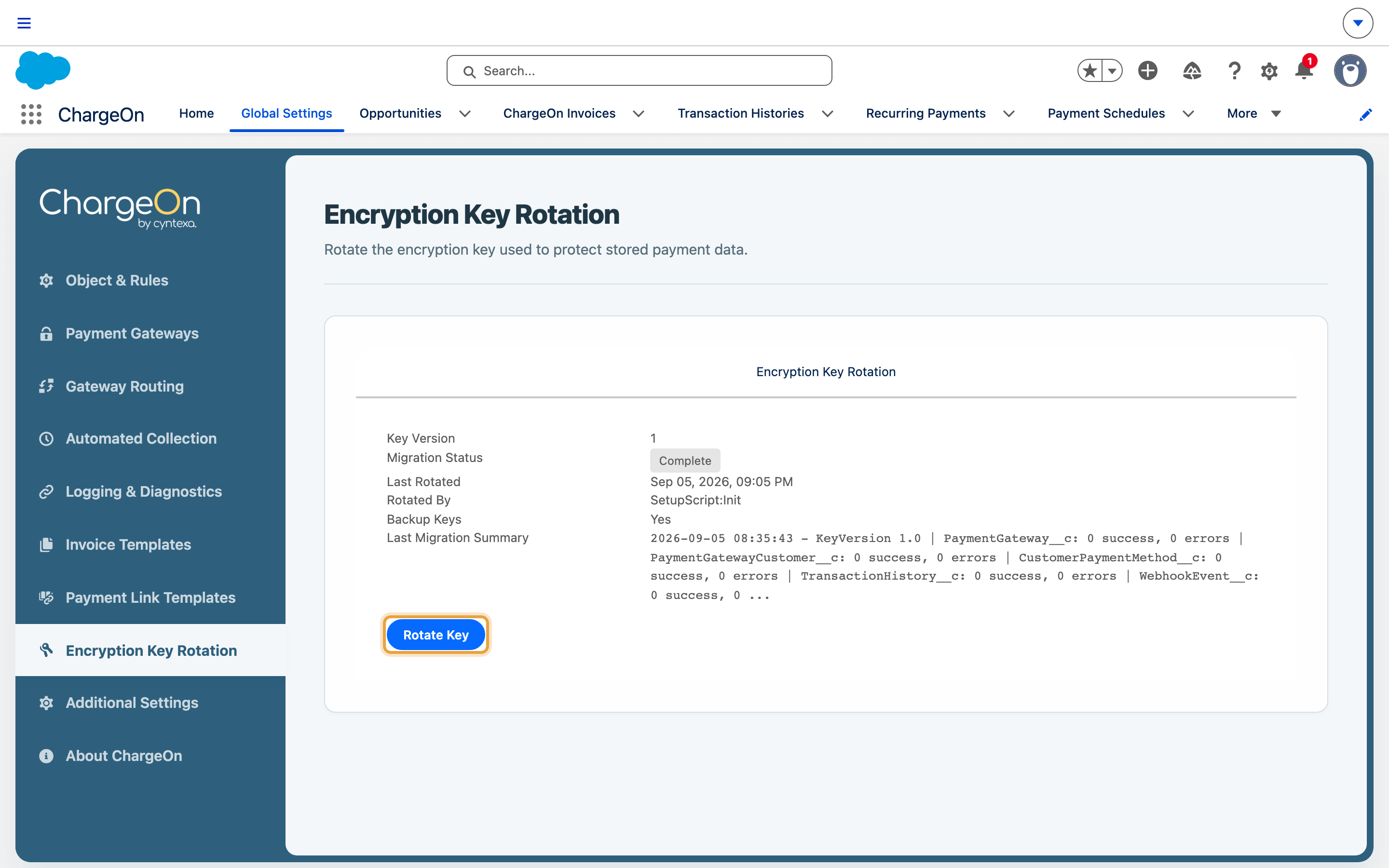
- Go to Global Settings → Encryption Key Rotation.
-
Check the current status: key version, migration status, when it last rotated, and a cooldown countdown if a recent rotation is still within its 24-hour window.
-
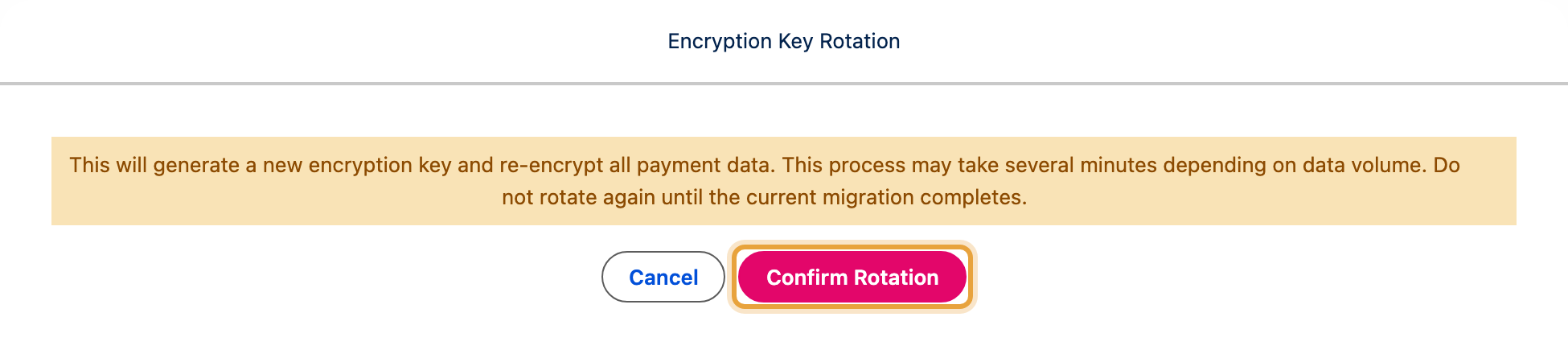
Click Rotate Key.
-
Confirm.
What You Should See
Migration Status changes to Pending, then to Complete (or Completed With Errors) as ChargeOn re-encrypts your gateway records, gateway customer profiles, saved payment methods, transaction history and webhook events, in that order. Nothing stops working while this runs.
If It Does Not Work
| Symptom | Likely cause | What to do |
|---|---|---|
| Rotate Key is disabled or refuses to start | You are inside the 24-hour cooldown, or a previous migration has not finished | Wait for the cooldown to end, or check the current migration status first |
| Migration Status shows Completed With Errors | A small number of records failed to re-encrypt | Check the Error Log for the specific records, and retry |
| Migration looks stuck for a long time | If a migration goes stale, ChargeOn automatically resets it after 24 hours so you can try again | Wait out the 24 hours, then retry. Contact support if it happens repeatedly |