
Pause, Resume or Stop
Interrupt an installment plan or a subscription without losing it, or end one permanently. All 3 actions work the same way for both, and live on the record itself.
Pause Versus Abort
Pause is temporary. Charging stops, nothing else changes, and you decide later when billing starts again.
Abort is permanent. It cannot be undone. It also voids the plan's invoice and any invoice for a cycle that has not been paid, and cancels any payment link still waiting to be paid.
The example uses Emily Ross’s Q4 expansion installment plan for Summit Technologies, billed as four $2,125 payments totalling $8,500.
Before You Start
You need the Pause, Resume or Abort action on the record. These ship with ChargeOn and do not need separate setup.
Pause a Plan
- Open the Recurring Payment record.
- Click Pause.
Use Pause on an active plan that is currently billing.
Resume a Paused Plan
-
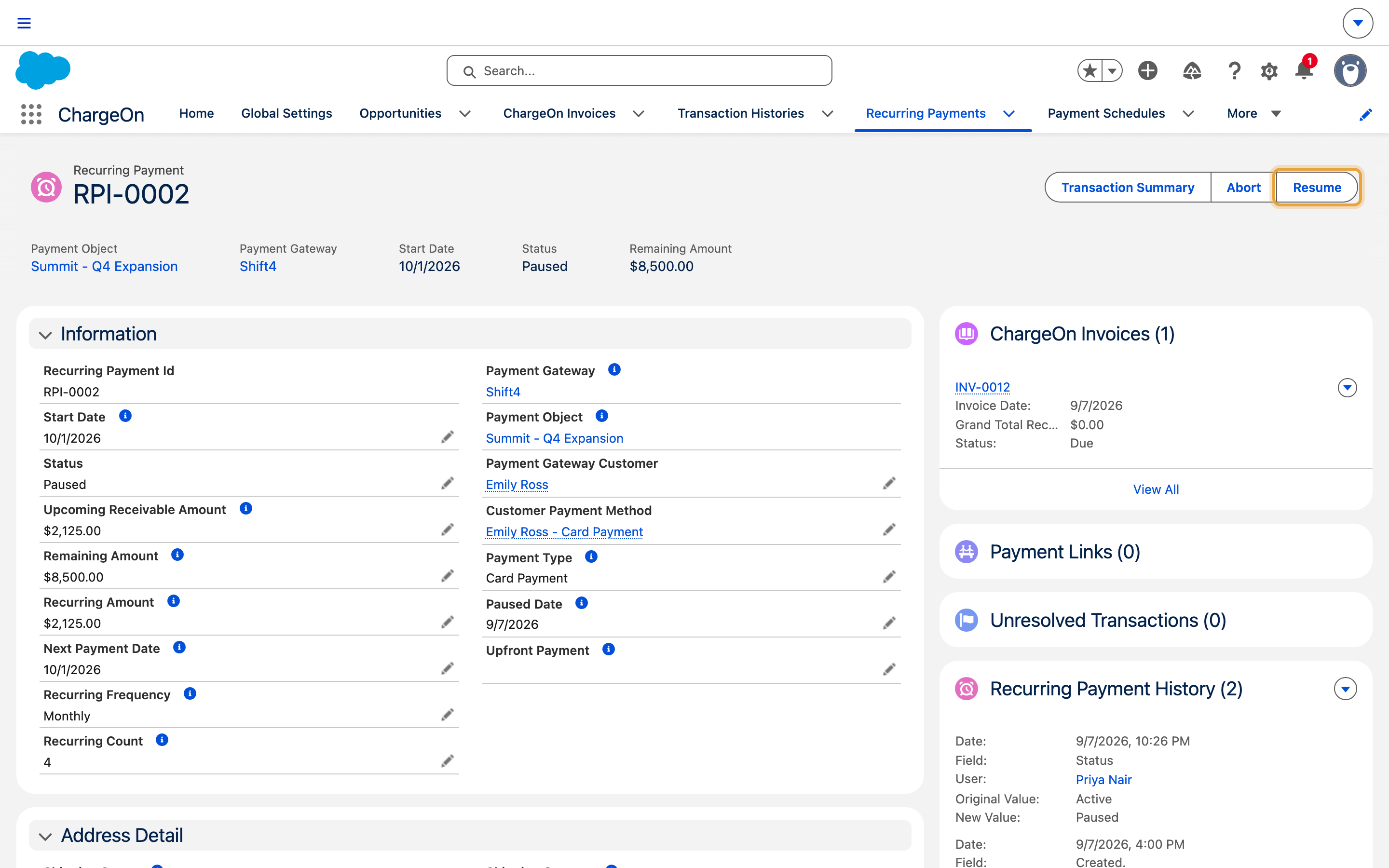
Open the paused Recurring Payment record.
-
Click Resume.
-
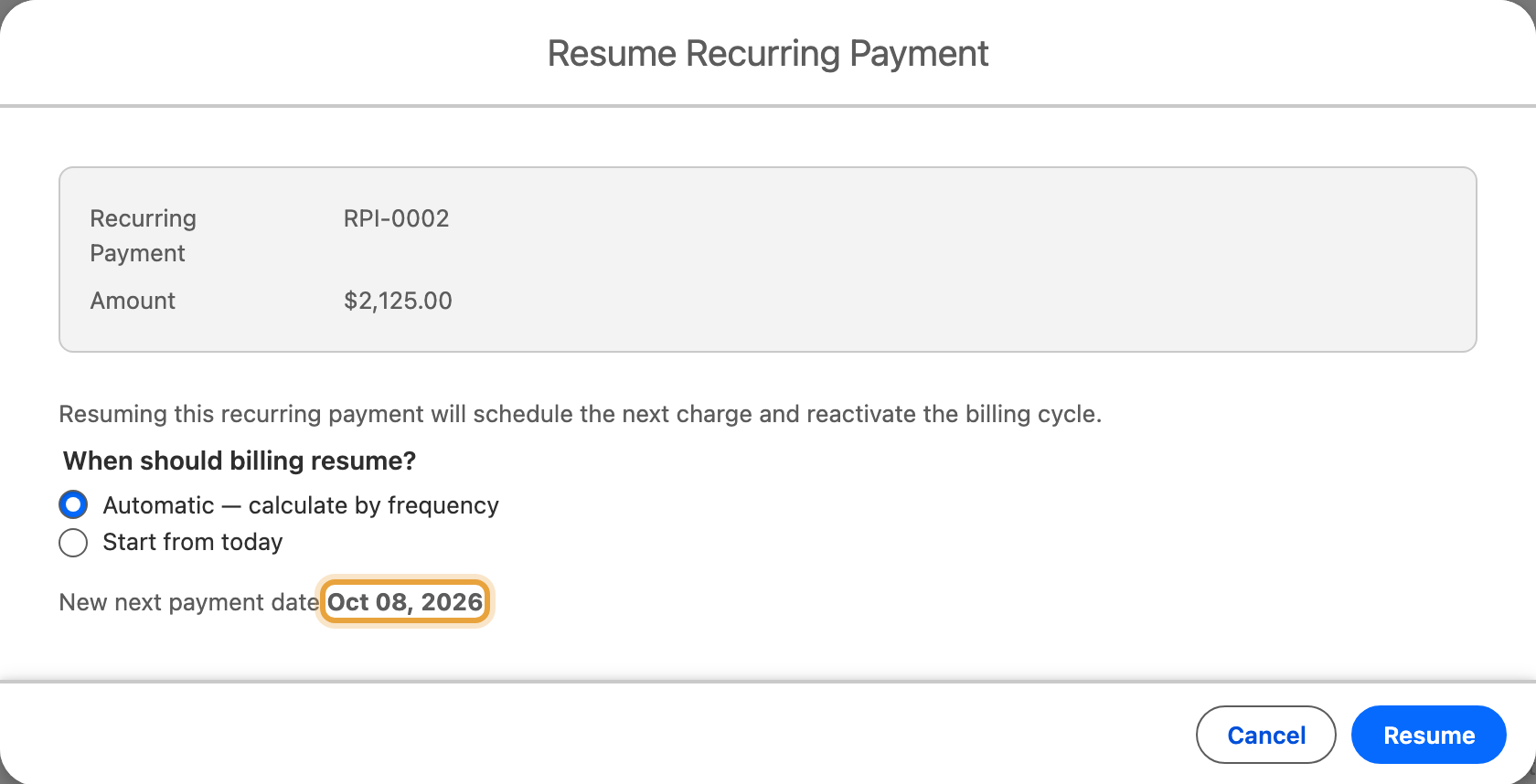
Choose whether the next charge happens today, or automatically, 1 full cycle from today.
Check the payment method before resuming
Review and update the payment method after repeated declines. A resumed subscription keeps its existing decline count, so a working payment method prepares the next cycle to succeed.
Stop a Plan for Good (Abort)
- Open the Recurring Payment record.
- Click Abort.
- Confirm.
What You Should See
- After Pause: the plan's status shows Paused, and no further charges occur until you resume it.
- After Resume: the plan's status returns to active, with a next payment date matching what you chose.
- After Abort: the plan's status shows Aborted. This is terminal; the same action cannot be used to reverse it.
If It Does Not Work
| Symptom | Likely cause | What to do |
|---|---|---|
| Pause is greyed out or missing | The plan is not currently active; it may already be Paused, Completed or Aborted | Check the plan's status; only an active plan can be paused |
| Resume is greyed out or missing | The plan is not currently Paused | Only a Paused plan can be resumed |
| Abort is greyed out or missing | The plan is already Completed or Aborted | These are terminal states; there is nothing left to stop |
| Resuming a plan charges it again almost immediately, then pauses it again | The plan's decline count from before the pause was not cleared | Confirm the payment method is fixed before resuming |
| Aborting did not cancel every payment link the customer had | A link tied to a different, already-superseded cycle can exist briefly before cleanup | Check the plan's history; any remaining open link can be cancelled directly. See Cancel a payment link |