
Review Billing History
See every charge an installment plan or a subscription has produced (successful, refunded or overdue) from the record itself, without hunting through Transaction History.
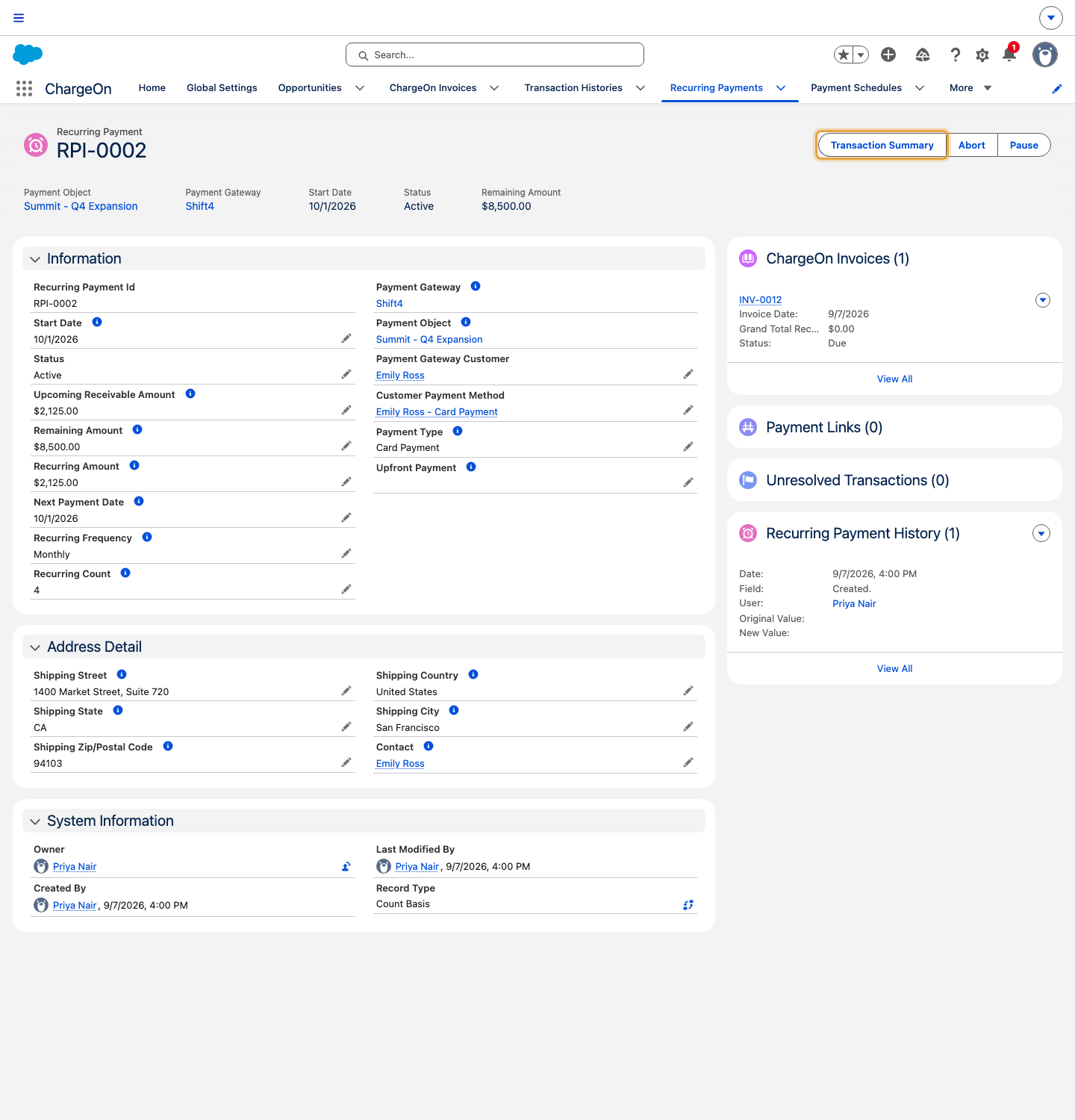
The example follows the same Summit Technologies Q4 expansion plan for Emily Ross, with four $2,125 payments totalling $8,500. Open its Transaction Summary to inspect those cycles. The illustrated plan has just been created: all four payments are Upcoming, with $0 paid, refunded or overdue.
Before You Start
Nothing extra to set up. This works on both installment plans and subscriptions.
Steps
-
Open the installment plan or subscription record.
-
Click Transaction Summary.
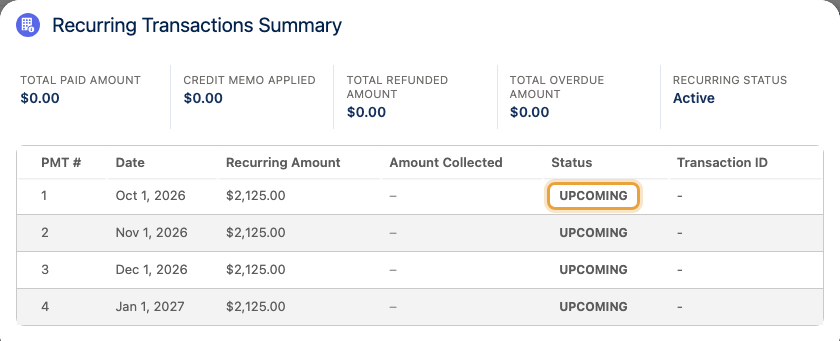
-
Expand any row to see the underlying transaction for that cycle.
- Click a transaction ID to open the full transaction record.
What You Should See
A Recurring Transactions Summary panel with 3 running totals: Total Paid Amount, Total Refunded Amount and Total Overdue Amount, above a table of every cycle, its status, and an Overdue badge on any cycle still unpaid past its due date.
If It Does Not Work
| Symptom | Likely cause | What to do |
|---|---|---|
| The table is empty | No cycle has run yet | Check the plan's next payment date, and confirm the background jobs are scheduled. See Part 7 of the quick start guide |
| A cycle shows Pending and stays there | The gateway has not yet confirmed settlement | This is normal for some gateways and clears on the next status-check run, not instantly |
| Total Overdue Amount is higher than expected | One or more cycles were billed by payment link and the customer has not paid yet | Check for an open link against that cycle, or see whether automated collection is chasing it |
| A refund does not appear against the right cycle | Refunds are linked to the original transaction, not the plan directly | Open the original cycle's transaction: the refund is listed against it |