
Void a Credit Memo
Void an unapplied credit memo to cancel its available balance, for example when it was issued by mistake or should be retired.
Check existing applications before voiding
Use this procedure for an unapplied credit memo, with Applied Amount at zero. Voiding cancels the available balance. To review credit already applied to an invoice or return money to the customer, ask your administrator to review the application and payment records before choosing the appropriate action.
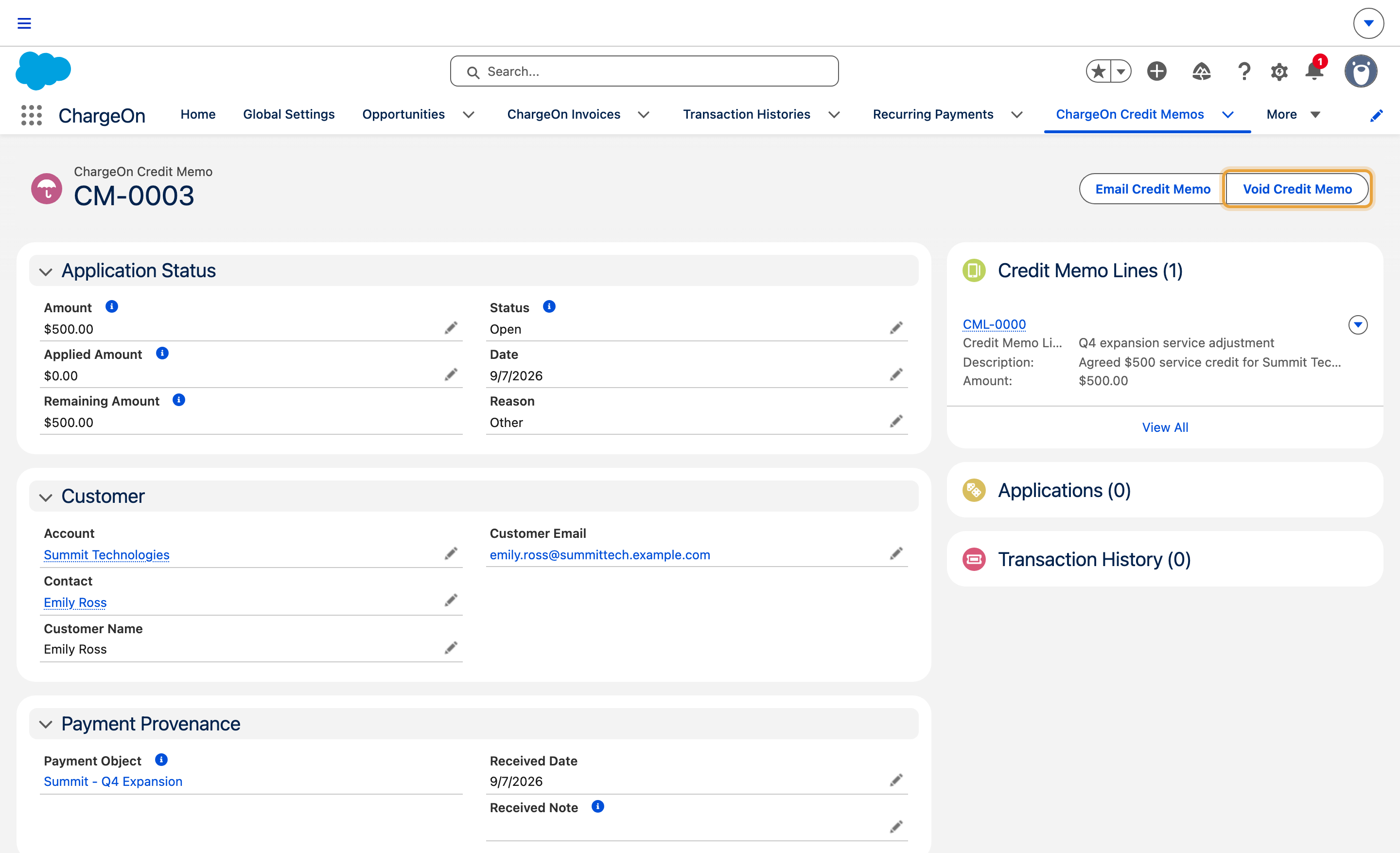
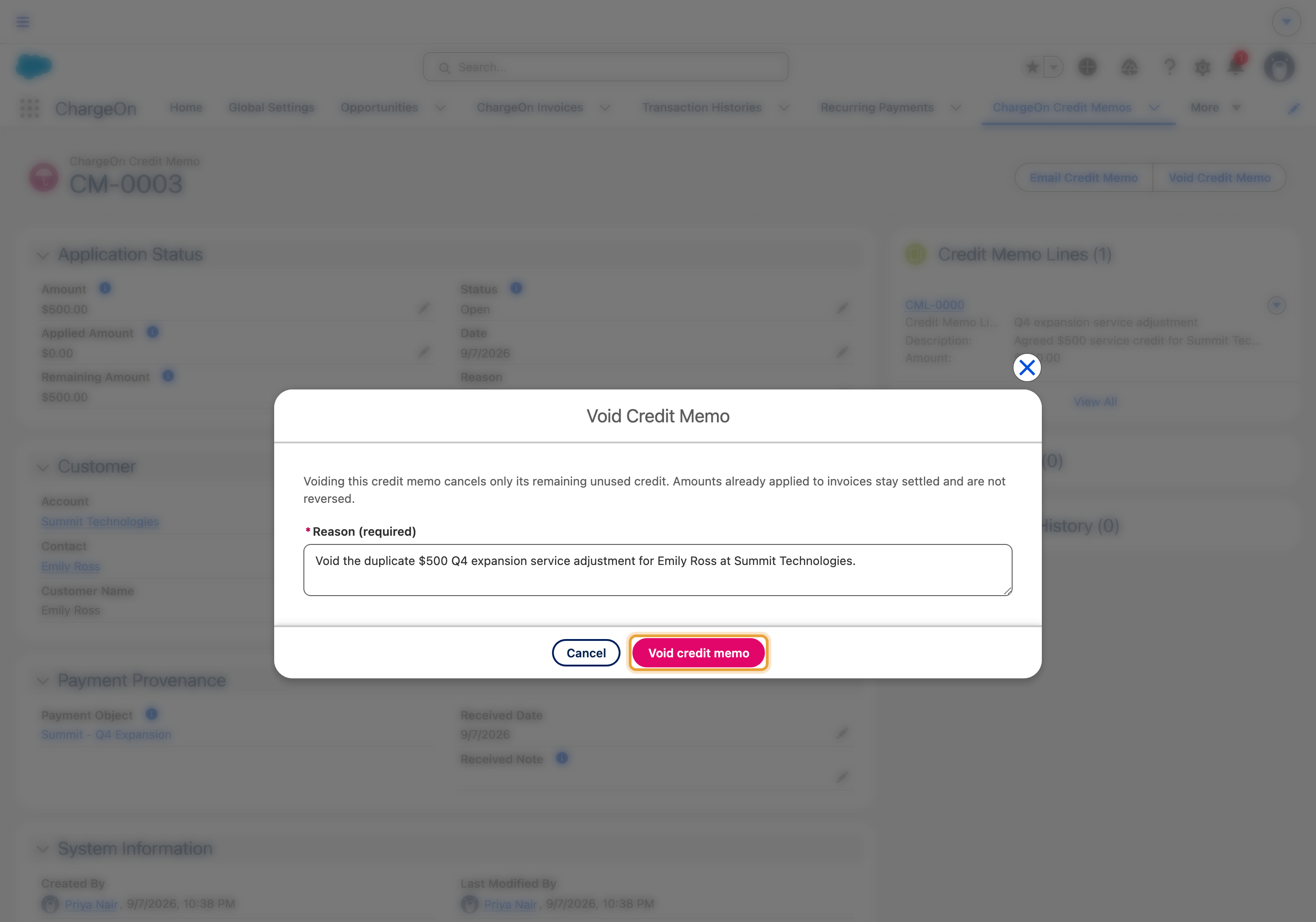
The example voids Summit Technologies’ unapplied $500 Q4 expansion service credit. The record and confirmation show the same credit memo.
Before You Start
- You need the ChargeOn permission for voiding credit memos (part of the ChargeOn Credit Memo Manager permission set).
- Confirm the credit memo’s Applied Amount is zero before voiding. See the warning above.
Steps
-
Open the credit memo.
-
Click Void Credit Memo.
-
Enter a reason.
-
Click Void credit memo, then Confirm void.
What You Should See
The credit memo moves to status Voided. Its Voided Amount shows the balance that was cancelled, and its remaining balance drops to zero: it can no longer be applied to anything.
If It Does Not Work
| Symptom | Likely cause | What to do |
|---|---|---|
| ChargeOn rejects the void outright | Some or all of the credit memo has already been applied to an invoice | Ask your administrator to review the applied credit and related payment before choosing the next action (see the warning above) |
| ChargeOn says there is nothing to void | The remaining balance is already zero: the credit memo is fully applied, already voided, or expired | Nothing to do; check the credit memo's own status |
| Void Credit Memo does not appear | You lack the permission, or you are signed in as a guest/community user | Ask an internal ChargeOn administrator with the credit-memo permission to review the record |