
Email a Credit Memo
Sends the customer a copy of a credit memo as a PDF, by email.
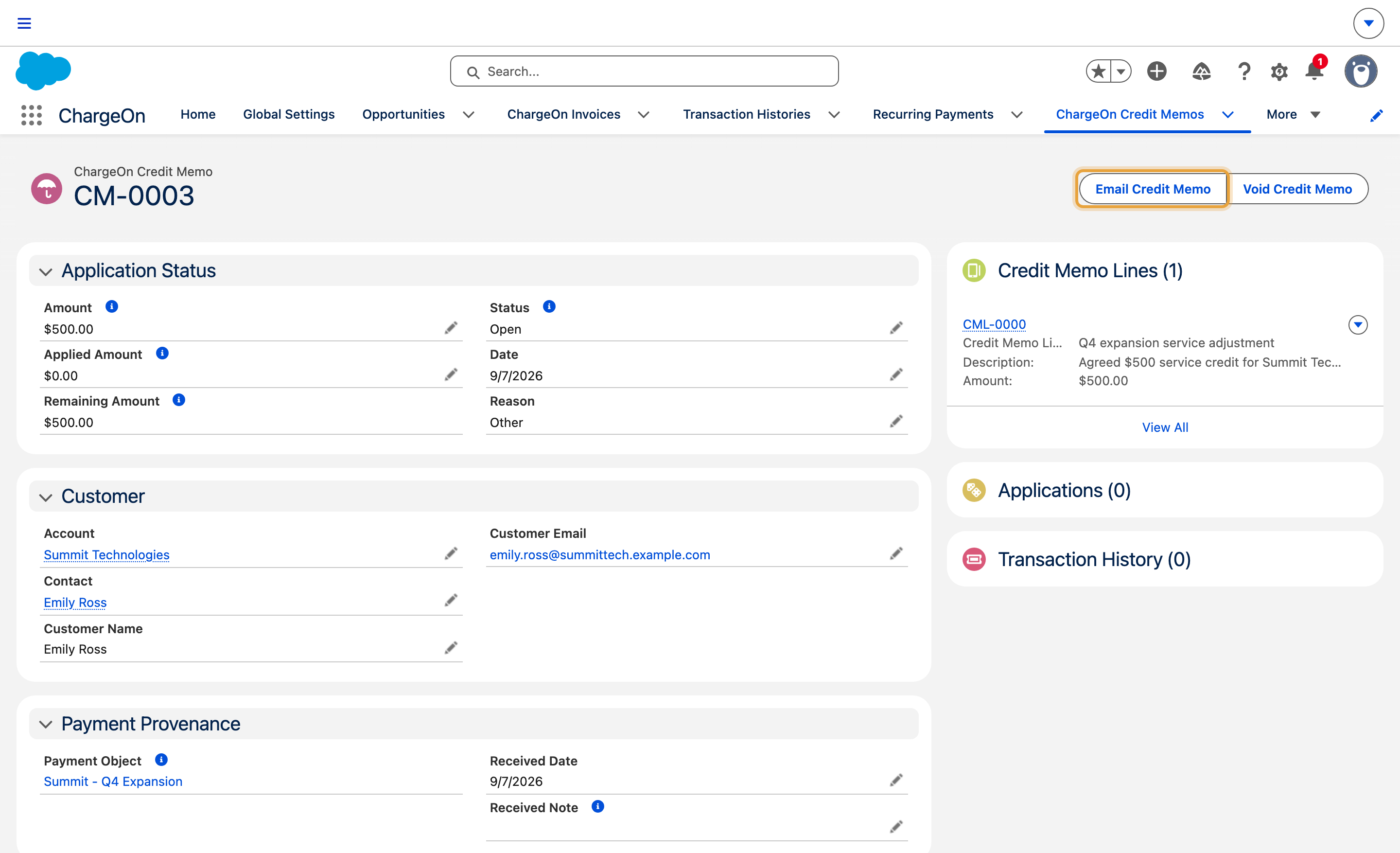
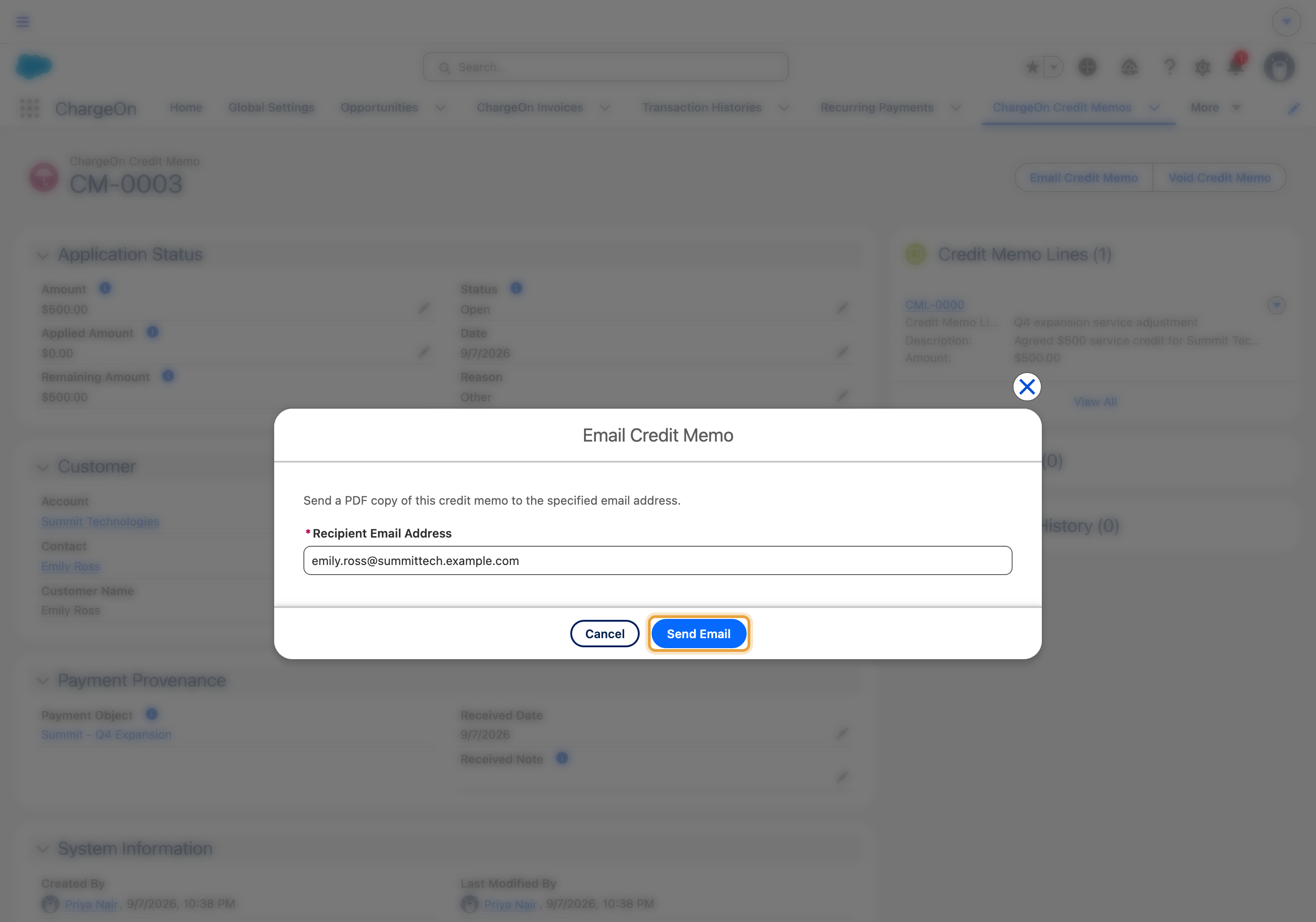
The example emails Summit Technologies’ $500 Q4 expansion service credit to Emily Ross at emily.ross@summittech.example.com.
Before You Start
- You need the ChargeOn permission for emailing credit memos (part of the ChargeOn Credit Memo Manager permission set).
- Use Email Credit Memo whenever you want to send or resend a credit memo to the customer.
Steps
-
Open the credit memo.
-
Click Email Credit Memo.
-
ChargeOn fills in the customer's email address from the credit memo record. Change it if you need to send it somewhere else.
-
Click Send Email.
What You Should See
A confirmation that the email sent. The customer receives the credit memo as an attached PDF.
If It Does Not Work
| Symptom | Likely cause | What to do |
|---|---|---|
| The address field is blank | The credit memo has no customer email on file | Enter the recipient’s address before sending |
| Send stays disabled | The address is not a validly formatted email | Check for typos: ChargeOn checks the format before it will send |
| The customer says they never received it | The email went to a stored address that is out of date, or landed in spam | Confirm the address on the credit memo record, correct it if needed, and send again |