
Resolve Unresolved Transactions
An unresolved transaction holds a payment attempt for review. ChargeOn retains the gateway’s response, amount and source record so you can confirm the outcome and complete Transaction History safely. Start here when checking a gateway charge against your Salesforce records.
Read the Gateway Status before you act. It tells you what the gateway actually did:
| Gateway Status | What happened | What resolving does |
|---|---|---|
| Success or Authorized | The payment succeeded, or an authorisation hold was placed | Records the payment or authorisation against your record |
| Failed or Declined | The customer was not charged | Records the failure and updates the plan or schedule |
Use Gateway Status to confirm the outcome of this attempt. Resolve completes its record without taking another payment.
Before You Start
- You need access to the Unresolved Transaction tab and its records.
- Nothing else: resolving an unresolved transaction does not charge the customer again. It only finishes recording a payment that already happened.
Steps
-
Go to the Unresolved Transaction tab, or open the record directly if you were pointed at one.
-
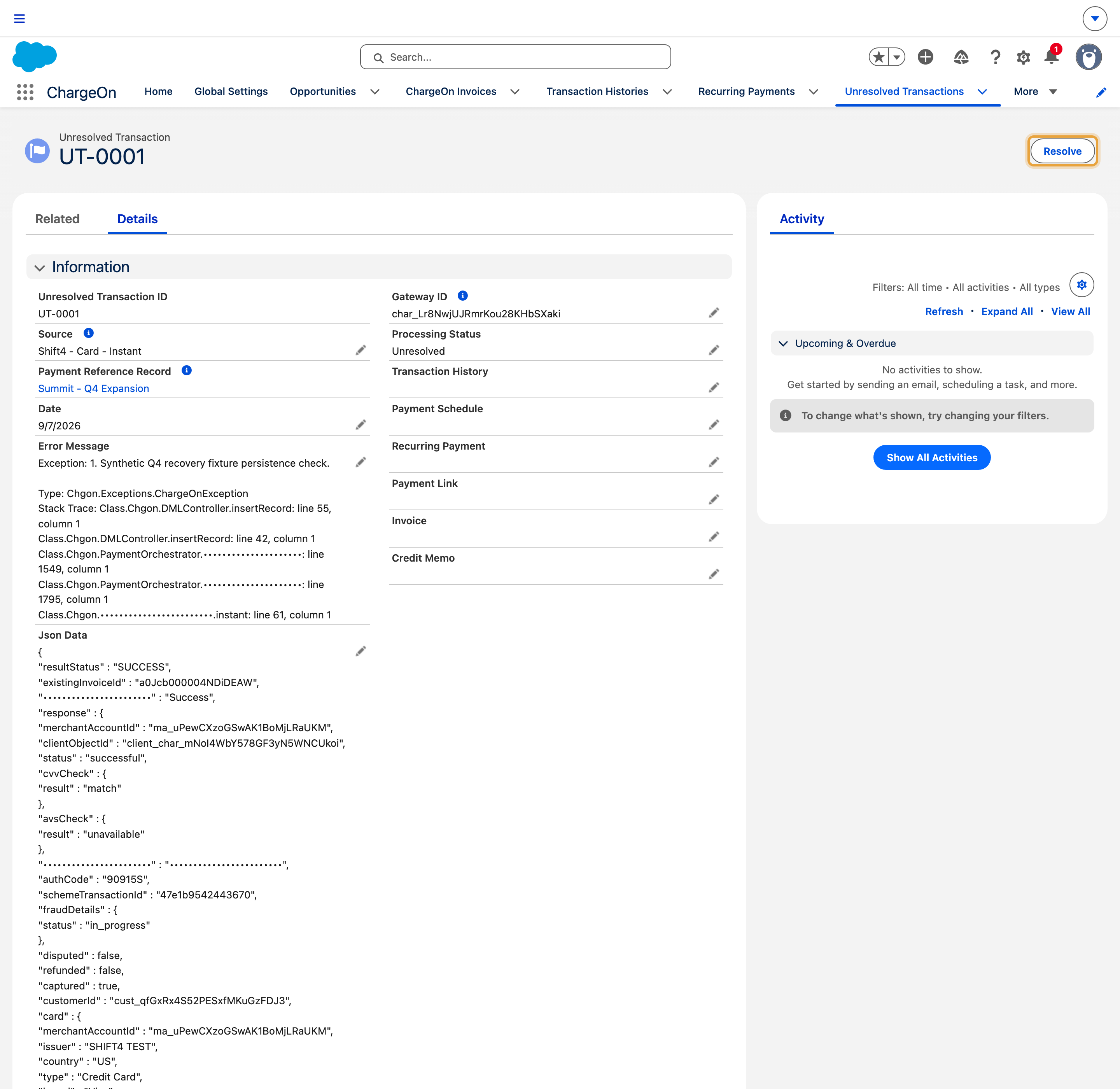
Open the record you want to resolve, and check its Gateway Status: this is what the gateway itself told ChargeOn happened, so you know what you are about to confirm.
-
Click the Resolve quick action (the same action works on mobile).
-
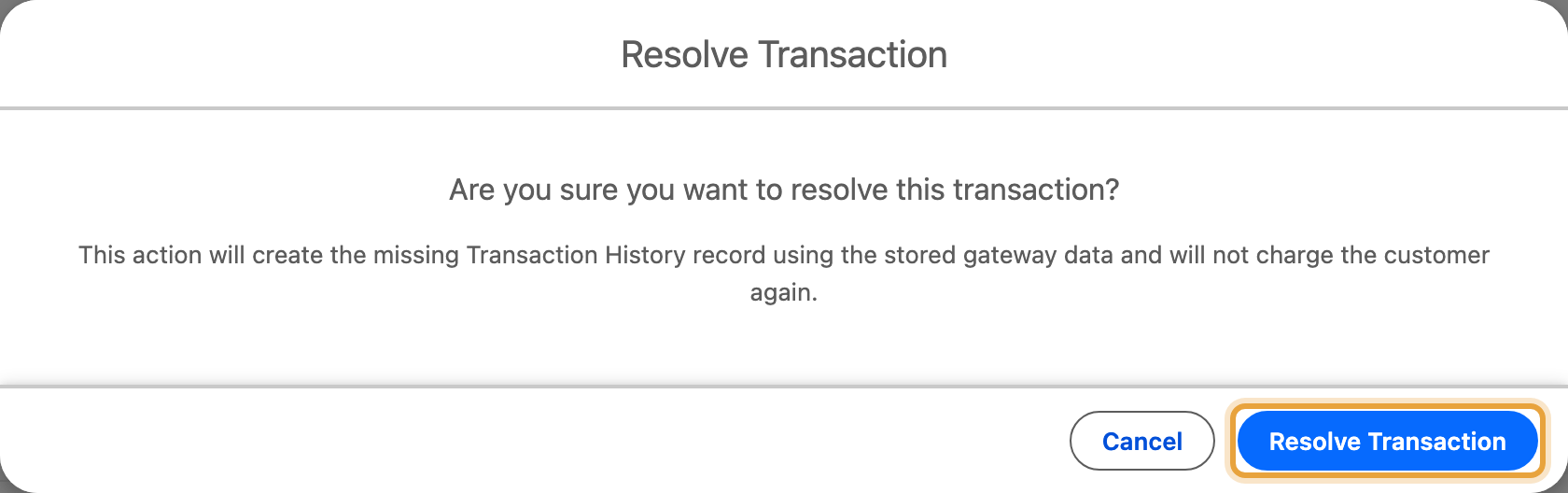
Confirm. The dialog reads: "This action will create the missing Transaction History record using the stored gateway data and will not charge the customer again." Click Resolve Transaction.
What You Should See
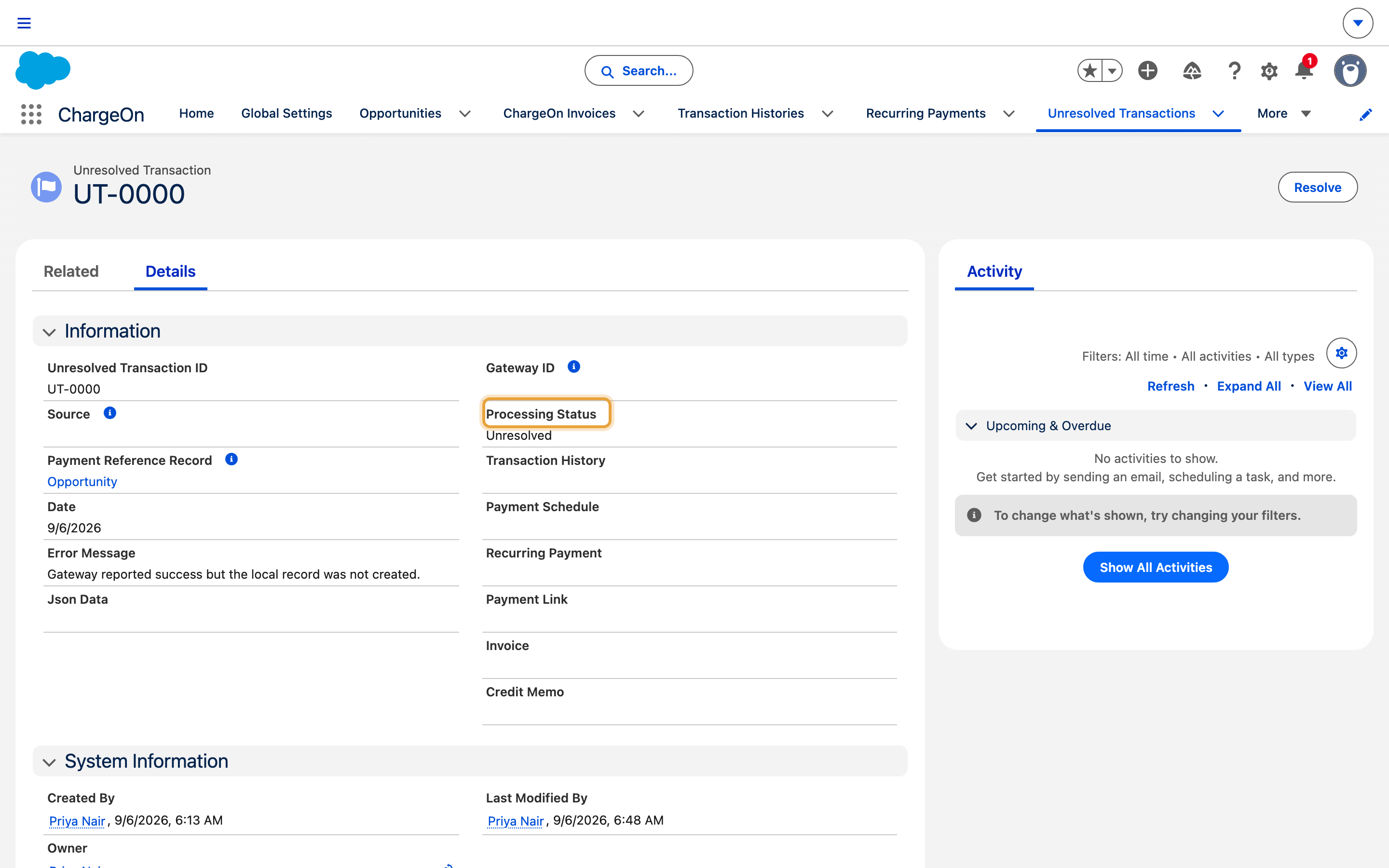
The record's Processing Status changes to Resolved, and a Transaction History record now exists with the payment's amount and gateway. If the payment belonged to an invoice, a Recurring Payment record or a payment link, the Transaction History record links to them too.
If It Does Not Work
| Symptom | Likely cause | What to do |
|---|---|---|
| Capture or Void is blocked on a transaction | An unresolved transaction is still open against that same record | Resolve it first, then try Capture or Void again |
| Status shows Resolved but you still cannot find a Transaction History record | You may be viewing as a user without visibility to it | Check as an administrator, or review sharing on the record |
| A transaction on Stripe, Adyen, PayPal, RazorPay or GoCardless sits Unresolved for a long time | It depends on the gateway telling ChargeOn what happened, either through a webhook or by ChargeOn checking back periodically, and that check has to be scheduled | Confirm the transaction status job is scheduled: see the quick start guide's background jobs step (Part 7) |