
Send a Payment Link
Generate a link for a customer to pay themselves, and get it to them without ever seeing their card details.
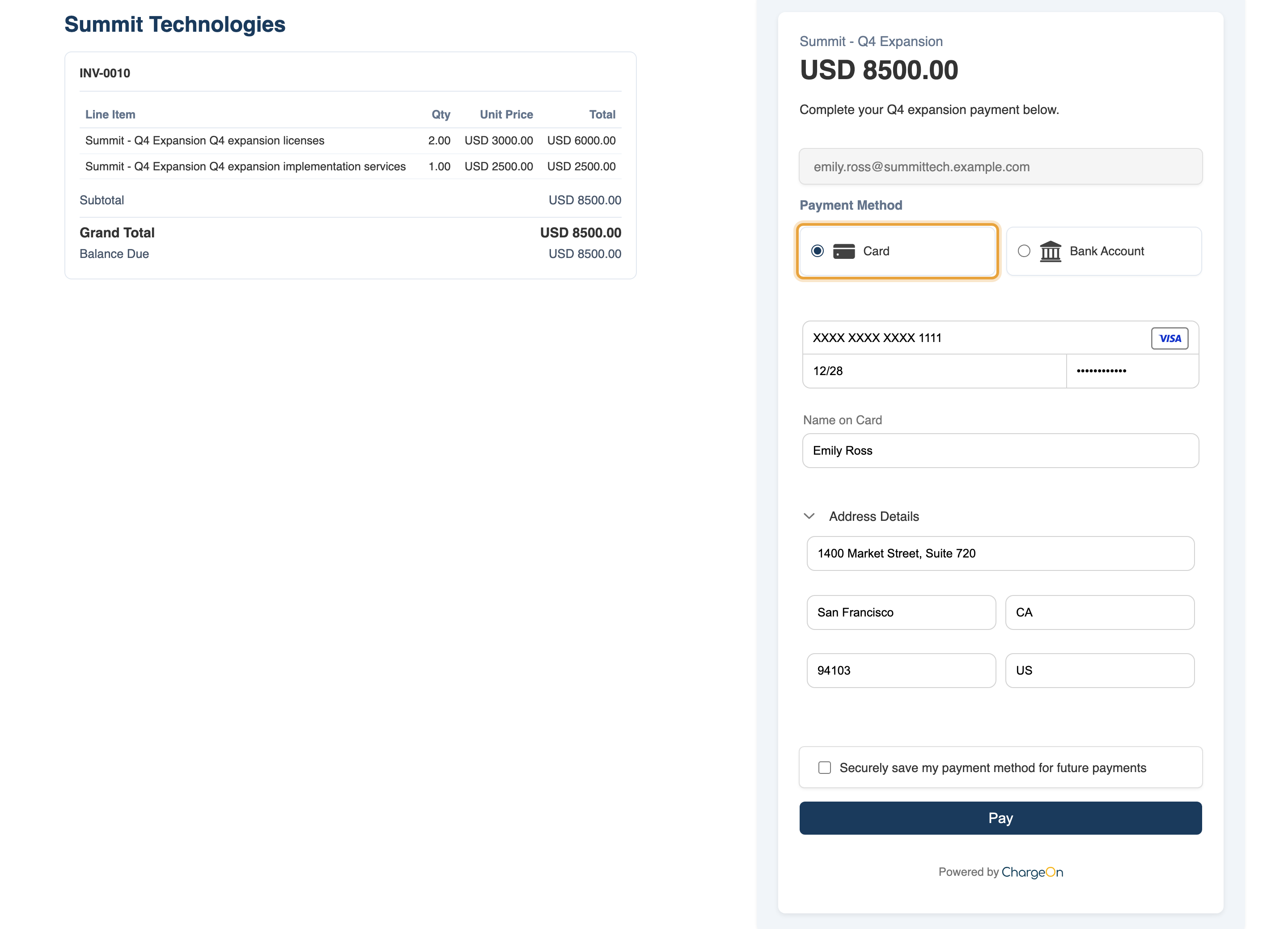
The example sends Emily Ross at Summit Technologies a link for the full $8,500 Q4 expansion invoice, using Authorize.Net Primary. Its checkout shows the same $6,000 Q4 expansion licenses and $2,500 implementation services lines.
Before You Start
- You need the Charge action on the record's page layout: see Part 6 of the quick start guide if it is missing.
- The payment link site must be active, with the guest user correctly permissioned: see Part 3 of the quick start guide. This is what your customer actually opens.
- Optional: a QR code appears on the link automatically if your administrator has turned Enable QR Codes on under Global Settings → Additional Settings. It is off by default.
Steps
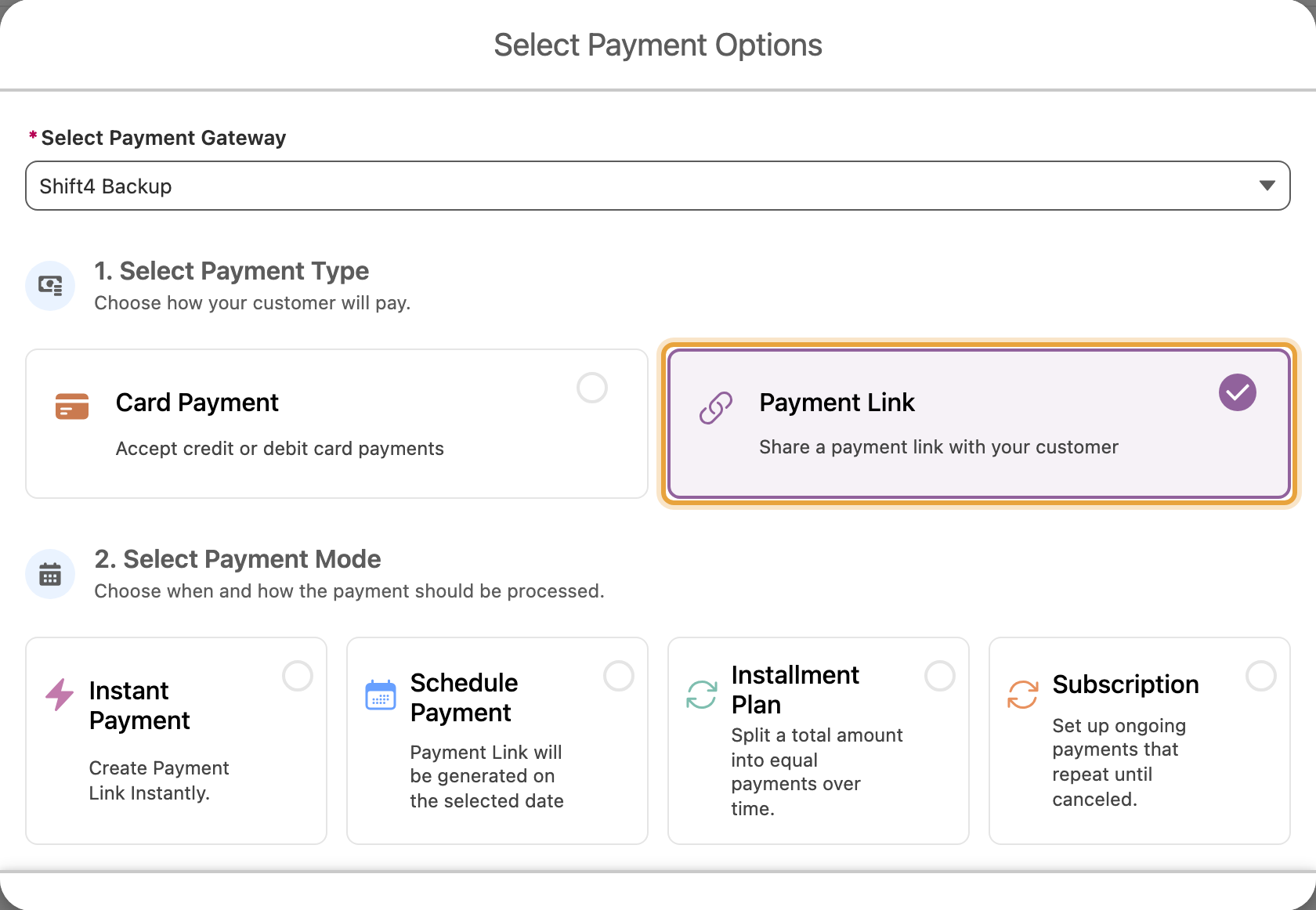
- Open the record and click Charge.
-
Choose Payment Link as the payment type.
-
Choose Instant Payment mode.
- Enter the amount, and choose the gateway if you have more than one.
- Click Send Payment Link.
What You Should See
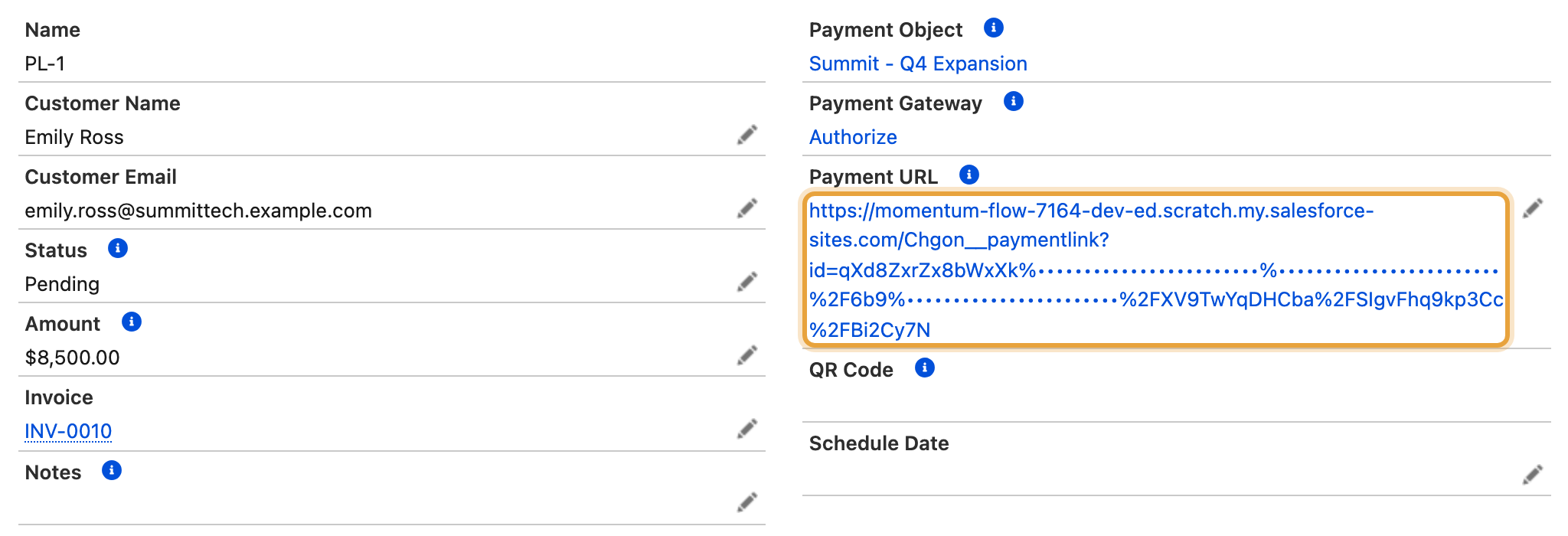
A new transaction with payment type Payment Link and status Pending, carrying the link's address. If email is configured, the customer receives it automatically, with a QR code if that is enabled. Once the customer pays, the transaction's status updates to reflect it.
Test it the way your customer will see it
Open the link in a private or incognito browser window before you rely on it. In your own browser you are logged in to Salesforce, so the page will load for you whether or not the guest permissions are actually right.
If It Does Not Work
| Symptom | Likely cause | What to do |
|---|---|---|
| The link opens to an authorisation error | The guest user is not correctly permissioned, or the sharing rules are missing | Part 3 of the quick start guide |
| No QR code appears on the link or in the email | QR codes are not enabled globally | An administrator turns this on under Global Settings → Additional Settings → Enable QR Codes |
| The customer says the link looks expired, but the amount is still owed | A link stays open until the amount is paid or the link is cancelled | Confirm the link was not cancelled, then check the transaction record for the current status |
| The customer paid but the transaction still shows Pending | The gateway has not yet confirmed the result back to ChargeOn | This settles automatically; if it persists, check your gateway's own dashboard for the same payment |
| No email arrived | Deliverability is not set to All Emails | Prerequisite guide, Part 2. This is a common cause |