
Record Cash, Cheque and Wire Payments
Log money you received outside ChargeOn (cash, a cheque, or a wire transfer) so your records stay complete.
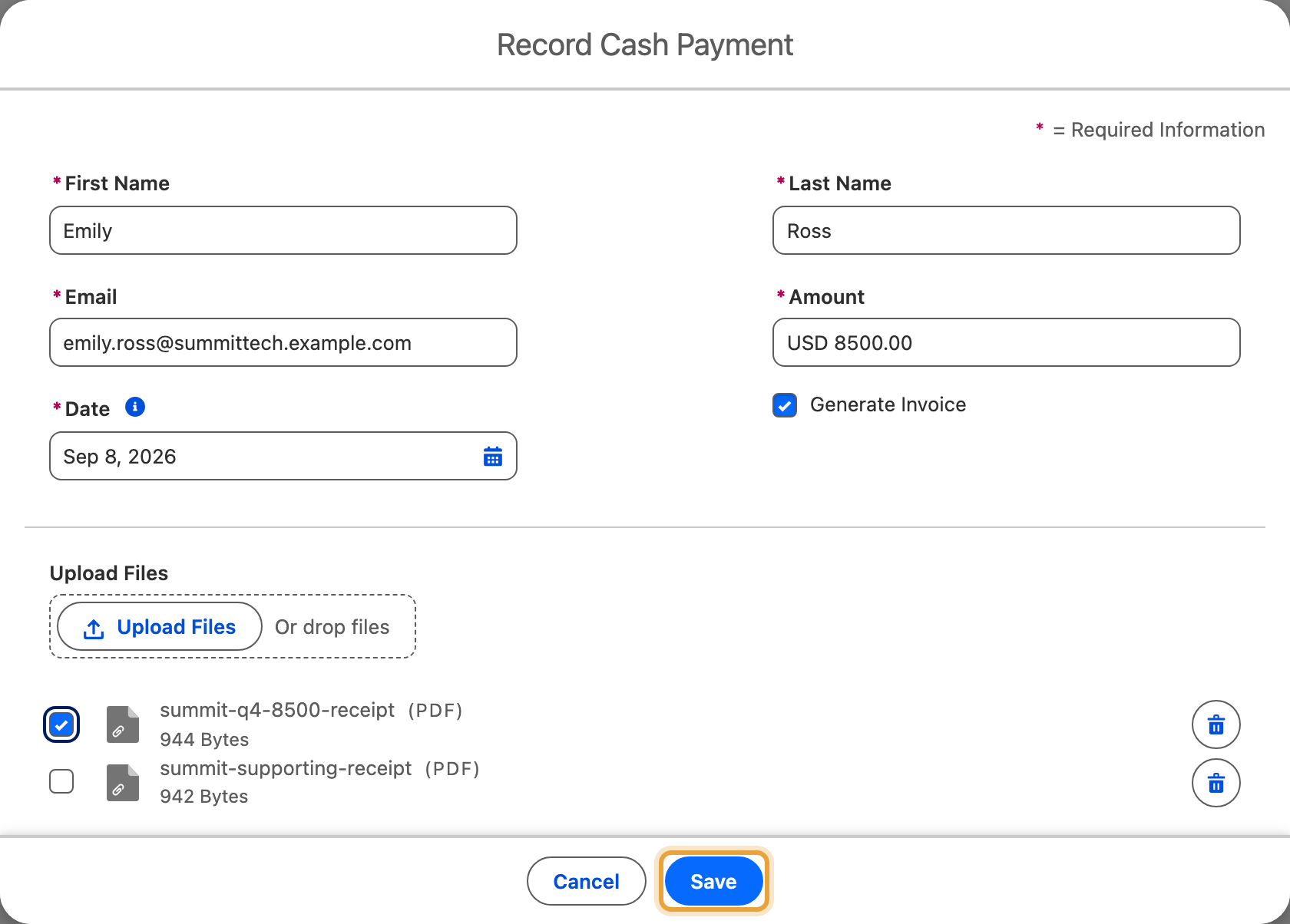
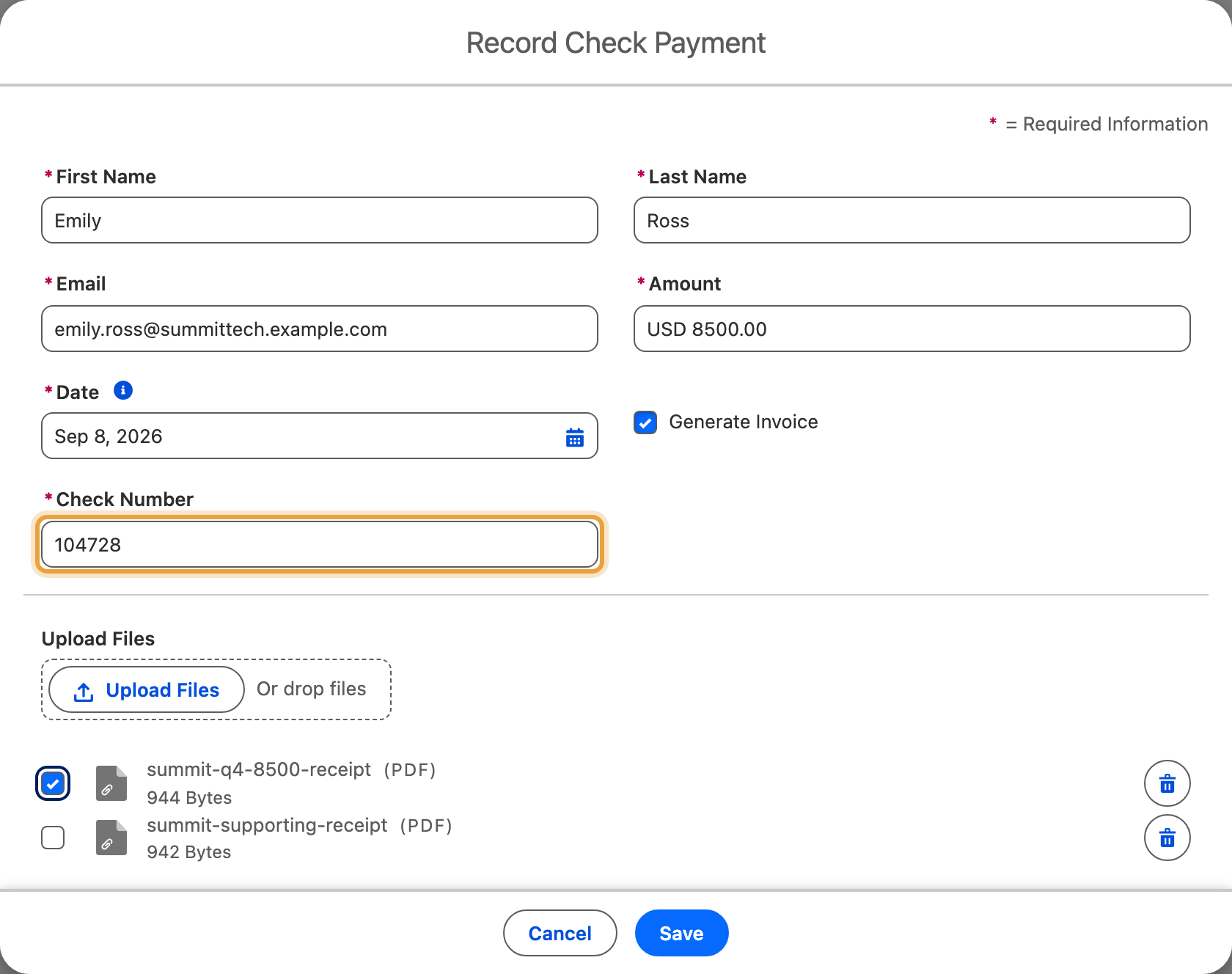
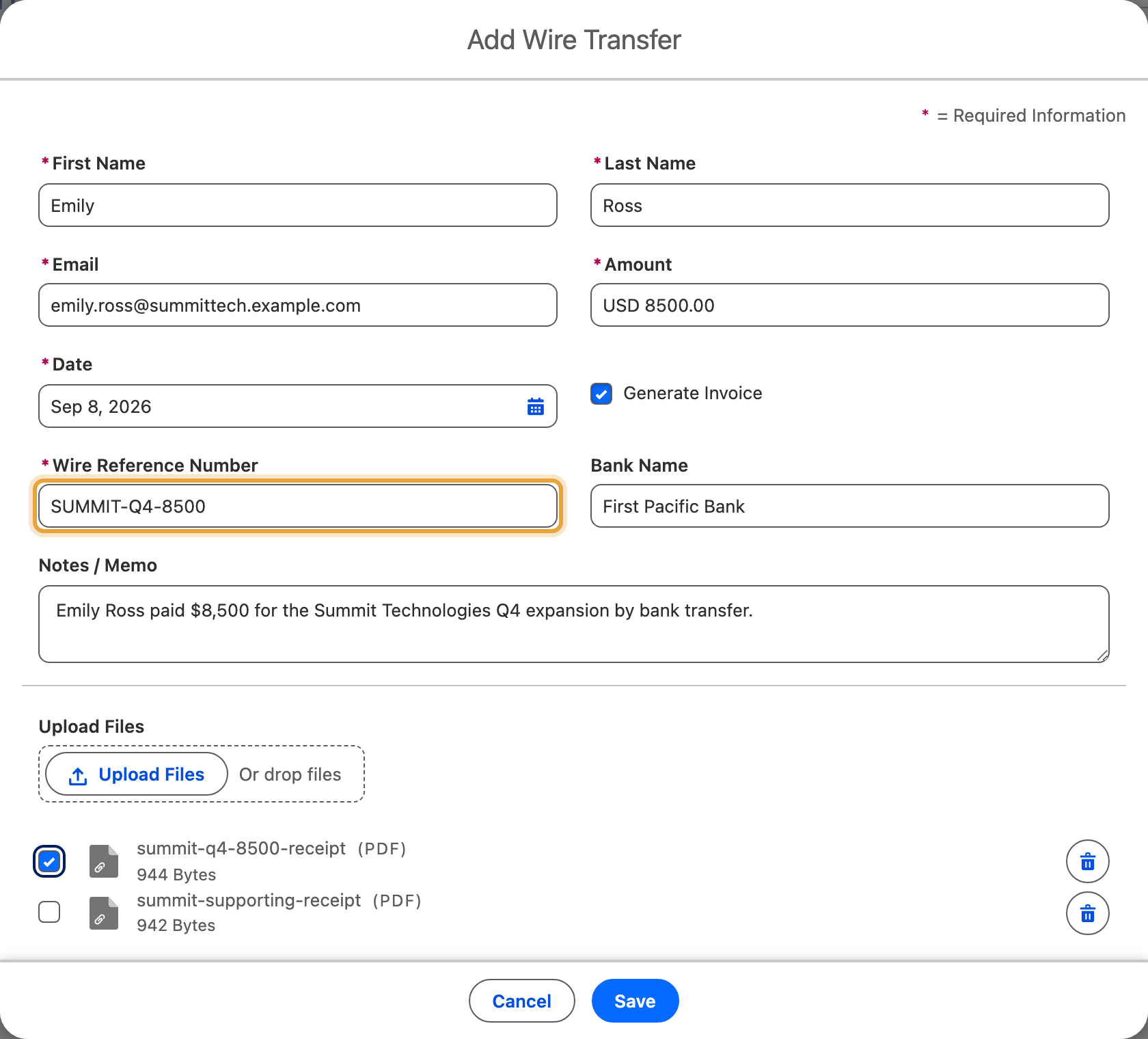
Each example records the $8,500 Q4 expansion for Emily Ross at Summit Technologies, using the payment method the customer chose.
Before You Start
- The action for the type you're recording (Cash Payment, Check Payment or Wire Transfer Payment), added to this object's page layout. Add each one the same way as the Charge action; see Part 6 of the quick start guide.
- You need the ChargeOn permission to take instant payments (part of the ChargeOn Admin, ChargeOn Operator or ChargeOn Standard User permission set). The same permission that covers Charge covers these three.
Record a Cash Payment
- Open the record.
- Click Cash Payment.
-
Enter the payer's First Name, Last Name and Email if they aren't already filled in. Use letters in Last Name.
-
Enter the Amount and the Date you received the payment, on or before today.
- Untick Generate Invoice if you don't want an invoice created for this payment.
-
Attach a receipt or other proof, if you have one.
-
Click Save.
Record a Cheque Payment
- Open the record.
- Click Check Payment.
-
Enter the payer's First Name, Last Name and Email if they aren't already filled in.
-
Enter the Amount and Date.
- Enter the Check Number.
- Untick Generate Invoice if you don't want an invoice created for this payment.
-
Attach a copy of the cheque or other proof, if you have one.
-
Click Save.
Record a Wire Transfer
- Open the record.
- Click Wire Transfer Payment.
-
Enter the payer's First Name, Last Name and Email if they aren't already filled in.
-
Enter the Amount and the Date you received the payment, on or before today.
- Enter the Wire Reference Number.
- Optionally, enter the Bank Name and a note under Notes / Memo.
- Untick Generate Invoice if you don't want an invoice created for this payment.
-
Attach proof of the transfer, if you have one.
-
Click Save.
What You Should See
A new Transaction History record with status Success and the matching payment type: Cash Payment, Check Payment, or Wire Transfer. If Generate Invoice was ticked, a new Invoice appears too, already at status Paid: it's recorded as settled the moment you save it, because the money changed hands before you logged it.
If It Does Not Work
| Symptom | Likely cause | What to do |
|---|---|---|
| The action doesn't appear on the record | It hasn't been added to this object's page layout | Add it. See Before you start |
| "You do not have permission to record cash payments." (or the matching message for cheque or wire) | Missing the Instant Payment permission | Assign a permission set that includes it |
| Last Name is rejected | It contains anything other than letters: spaces, hyphens and numbers all fail here | Re-enter using letters only |
| Save stays disabled after attaching a file | The file is still uploading | Wait for the upload to finish, then save |
| An invoice was created (or wasn't) when you didn't expect it | The Generate Invoice checkbox defaults from Generate Invoice for Manual Payment on this object's mapping | Tick or untick it for this payment; ask an administrator to change the default under Global Settings → Object and Rules |